

Key Takeaways
- Ring stores videos for up to 60 days in the US and 30 days in the EU/UK.
- You can set video storage from 1 to 180 days with a Ring Protect Plan.
- Videos are auto-deleted after the storage period ends.
- Ring may retain some recordings for legal reasons.
How long does Ring keep videos, and what happens to deleted ones? Knowing Ring’s video storage and deletion policies helps you manage your privacy and Ring devices better. Here’s what you need to know.
How Long Does Ring Camera Store Footage?
Ring saves videos on its cloud servers for up to 60 days by default in the United States and up to 30 days in Europe and the United Kingdom. Videos are automatically deleted after the storage period ends unless you download and save them locally.
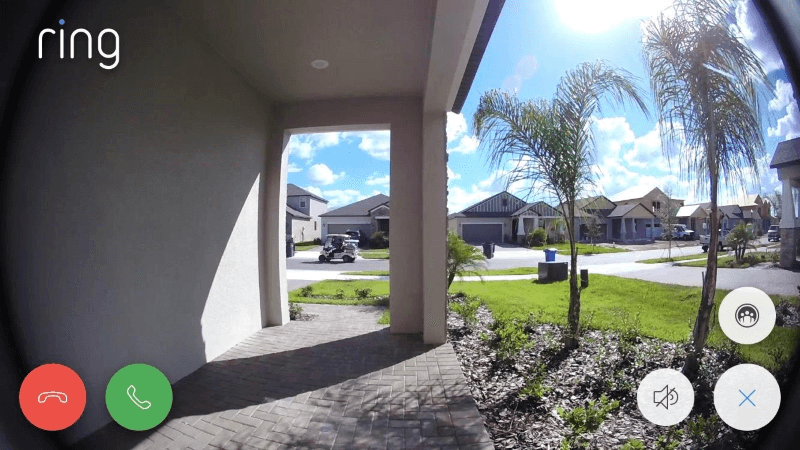
With a Ring Protect Plan, recorded footage is saved for the duration of your plan. Without a subscription, you can only view live footage, as recordings aren’t stored.
Here’s how each plan affects video retention:
- Ring Protect Basic Plan: Stores videos and snapshots for up to 60 days (30 days in some regions) and covers one device.
- Ring Protect Plus Plan: Provides the same 60-day storage for all devices at a single location, ideal if you have multiple Ring devices.
- Ring Protect Pro Plan: Matches the Plus Plan’s storage duration but adds features like professional monitoring for Ring Alarm and extended device warranties.
Choosing the right plan ensures your videos are saved long enough for your needs.
What Happens to Ring Videos After the Storage Period Ends?
When your Ring video storage period ends—60 days with a subscription or immediately without one—the videos are automatically deleted from Ring’s servers. Once deleted, the videos are gone for good and cannot be recovered.
Regularly saving any footage you want to keep will help you avoid losing valuable recordings.
How to Download Ring Videos
⚠️ You can only download videos if you have a Ring Protect Plan.
You can download and save Ring videos through the Ring app or from Ring’s official website. Below, I’ve explained the steps for both.

To download video from Ring’s website:
- Log in to your Ring account.
- Navigate to History > Manage .
- Choose the videos you want to save and tap Download .
- Re-enter your Ring password if prompted and the videos will be saved on your device.
To download the security camera video from the Ring app:
- Open the Ring app and tap the main menu icon on the top right corner.
- Tap History .
- Find the video you want to share and tap the more icon next to it.
- Finally, tap Share > Download .
Does Ring Keep Deleted Recordings?
No, once you delete a recording from your account, it’s permanently removed from Ring’s servers and cannot be recovered. Automatic deletions after the retention period are also permanent.
However, if you don’t delete videos manually, they remain accessible until the storage period ends, per your subscription.
Legal Obligations and Deleted Videos
While Ring deletes videos per your retention settings, there are cases where legal obligations might require Ring to retain specific footage. If law enforcement issues a subpoena or legal request, Ring may have to preserve and provide access to certain videos, even if they’re scheduled for deletion.
Ring adheres to applicable laws and legal processes in such situations. You can find more details in Ring’s privacy policy, which outlines how legal requests are handled.
Where Does Ring Keep Videos?
Ring stores videos on Amazon Web Services (AWS) servers, using encryption and secure cloud storage to ensure privacy. With a subscription, you can access footage anytime through the Ring app.
For more control over your data, Ring Edge allows local storage on a MicroSD card via the Ring Alarm Pro Base Station (requires a Ring Protect Pro subscription).
By understanding Ring’s storage and deletion policies, you can better manage your video data and ensure your privacy is protected.
Know All About Ring’s Video Storage
Now that you know Ring stores videos for up to 60 days and they’re inaccessible after the storage period ends, be sure to download any important videos from the cloud in time.
Here are more articles you may find interesting:
- If you want to keep your videos for longer, you can use Ring Doorbell local storage.
- If your storage fills up quickly, you may want to stop Ring Camera from recording during inactive hours.
- You should know what you’re getting on using Ring without subscription to plan for video storage accordingly.
Frequently Asked Questions
How to tell if a Ring video was deleted?
How do I access my Ring video history?
Who can delete Ring videos?
Does Ring store videos without a subscription?


Hashir
Hi, I’m Hashir, a tech enthusiast with a deep love for smart home innovations. My interest in technology has always been driven by the idea of making everyday life more streamlined and efficient. After years of experimenting with smart devices in my own home, I’ve made it my mission to share what I’ve learned with others. I focus on practical, easy-to-understand solutions that anyone can implement to enhance their home. Writing for JustSmarter allows me to connect with fellow tech lovers and help them take their first steps—or next steps—into the exciting world of smart homes.