Key Takeaways:
- No, Ring Doorbell Doesn’t ring or chime on the Base Station.
- Ring Base Station only helps manage and connect Ring devices.
- You can use Ring Chime, Ring App, or Amazon Echo for a better alert system.
Being able to hear your Ring Doorbell chime or ring directly on the Base Station? Well, wouldn’t that be great! But unfortunately, that’s not really possible. However, I have found many other excellent ways to get notified of the bell press and activities your Ring devices detect. Read on and learn how to integrate your devices for a seamless alert system.
Can You Use Ring Base Station As Chime?
No, the Ring Base Station cannot be used as a chime for doorbells or cameras. Despite having a speaker, its purpose is to connect and manage Ring devices for security alerts, not to emit chime sounds for doorbell rings or motion alerts.
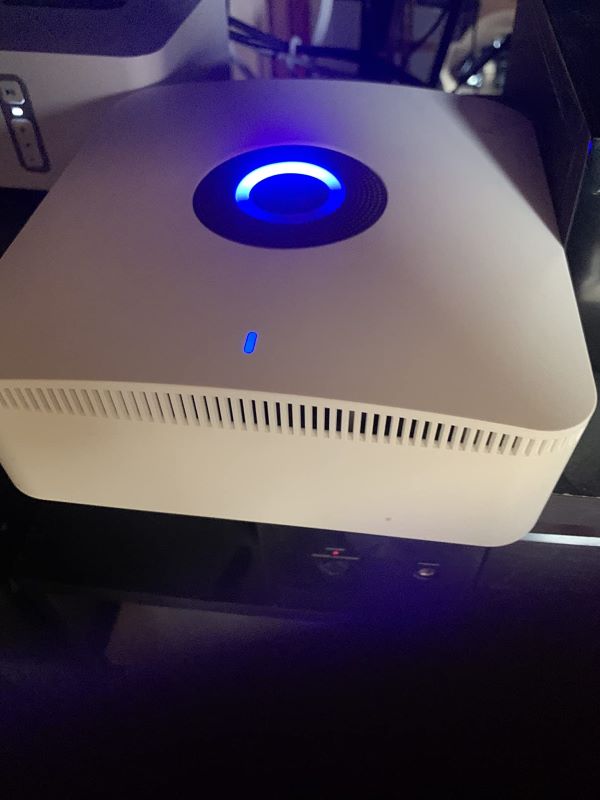
The Ring Base Station is the heart of the Ring Alarm security system. It connects all your Ring devices, like door sensors, motion detectors, and cameras, to your internet and each other. Its main job is to make sure your home security system works together smoothly and to alert you when there’s a security event, like when a door opens unexpectedly or when motion is detected in a certain area of your home.
Other Ways to Recieve Motion Notifications (Motion Alerts)?
While the Ring Base Station can’t be used as a chime, you can use the Ring Chime, Ring App, Amazon Echo, or Alexa. These options offer audio notifications, real-time alerts on your devices, and hands-free announcements, ensuring you never miss important security alerts.
When you cannot use Ring base station as chime, there are several other options to receive notifications. These include:
1. Ring Chime
The Ring Chime is specifically designed to work with your Ring Doorbell and cameras to provide audio notifications inside your home. When someone presses your doorbell or motion is detected, the Ring Chime emits a sound based on your chosen settings.
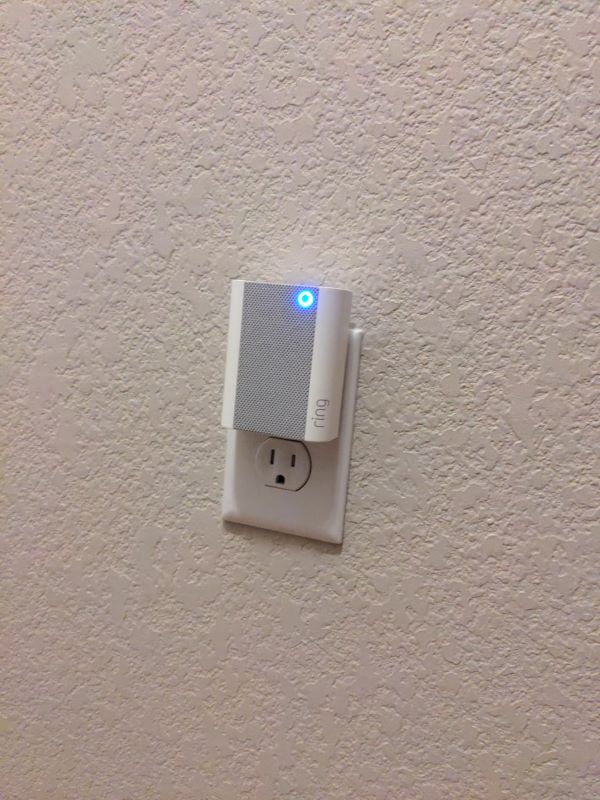
You can customize the tone and volume through the Ring app, ensuring you’re alerted in a way that suits your home environment. It’s an ideal solution if you don’t always have your phone nearby or prefer not to rely on mobile notifications. Here is how to do it:
- Plug your Ring Chime into a standard power outlet.
- Open the Ring app on your smartphone or tablet.
- Tap on the Set Up a Device option within the app.
- Choose Chimes from the list of devices to set up.
- Follow the in-app instructions to connect your Ring Chime to your Wi-Fi network.
- Once connected, select your Ring Chime in the app to customize its settings.
- Tap on Chime Tones to explore and select your preferred sound for the doorbell and motion alerts.
- Adjust the volume slider to set the Chime’s volume to your liking.
- Save your settings to ensure your changes are applied.
2. Ring App
The Ring App is central to managing your Ring devices. It sends real-time notifications to your smartphone or tablet when there’s a doorbell ring or motion alert. Through the app, you can view live footage from your Ring cameras, speak to visitors using two-way audio, and adjust your device settings.
It helps keep you informed no matter where you are, as long as you have an internet connection.
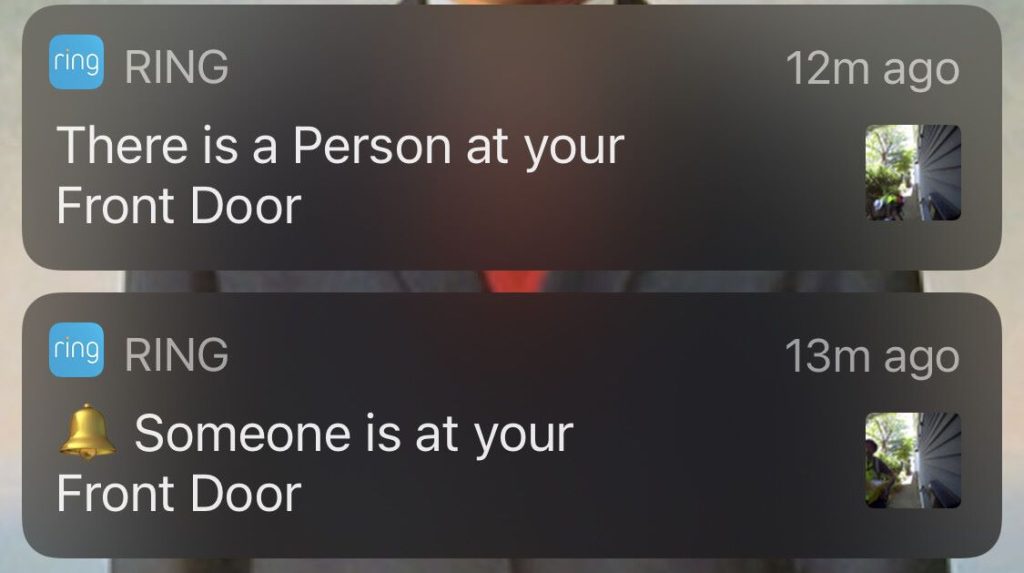
Here is how you use the Ring app to stay updated on the activities of your Ring devices:
- Download the Ring app from your device’s app store (iOS or Android).
- Open the app and create a new account or log in if you already have one.
- Tap on Set Up a Device to add your Ring devices to the app.
- Follow the on-screen instructions to connect each device to your Wi-Fi network.
- Once a device is added, select the device from the app’s dashboard to view live footage.
- To speak to visitors, use the Talk button during a live video feed for two-way audio communication.
- To access device settings:
- Select your device.
- Tap on Device Settings
- Here, you can adjust motion alerts, video settings, and more.
3. Amazon Echo
Your Amazon Echo device can also serve as a notification hub for your Ring devices. By linking your Ring account to Alexa, you can set up your Echo to announce when someone presses your doorbell or when motion is detected.
For Echo devices with a screen, you can automatically view a live feed from your Ring camera when an alert is triggered. This integration provides a hands-free way to stay on top of your home security.
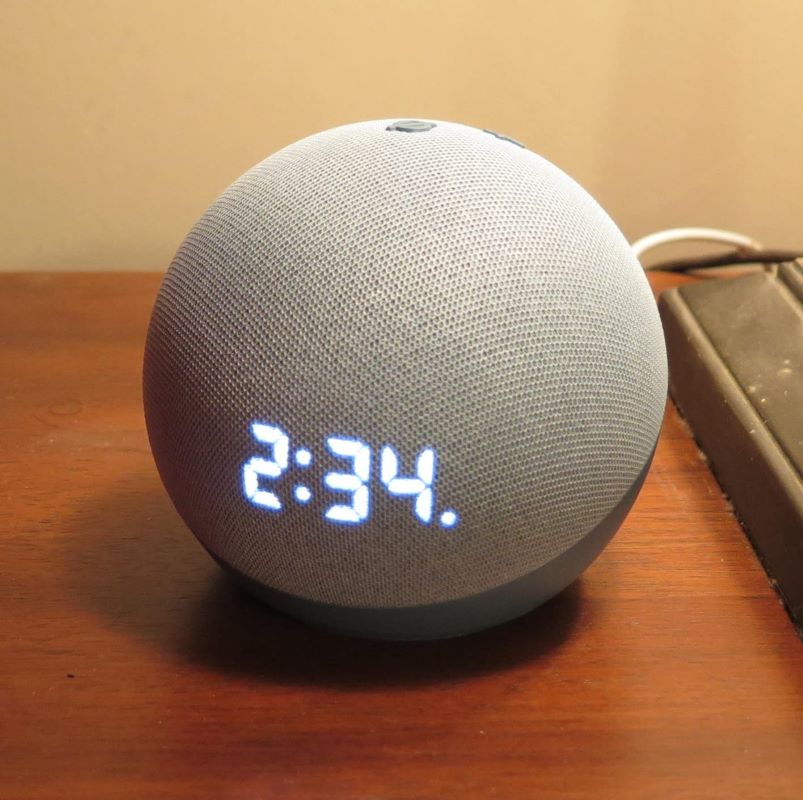
To integrate an Echo device into your Ring security system:
- Open the Alexa app.
- Go to Skills & Games.
- Search and select Ring.
- Tap Enable to Use and log in to your Ring account.
- Ask Alexa to Discover my devices or tap Discover Devices.
- Manage Ring devices in the Alexa app.
- Enable announcements for doorbell or motion alerts in device settings.
- For Echo devices with a screen, turn on Live View for automatic live feeds.
4. Alexa
The Alexa ecosystem offers various ways to receive Ring notifications. Through the Alexa app, you can configure your compatible devices to announce Ring alerts. This setup allows you to extend notifications across multiple devices in your home, ensuring you never miss an important alert. Whether you’re using an Echo Dot in the bedroom or an Echo Show in the kitchen, Alexa keeps you connected to your Ring devices.
Follow these steps to do it:
- Open the Alexa app on your device.
- Navigate to Devices in the bottom menu.
- Tap All Devices to see a list of your connected devices.
- Select each Echo device you want to receive Ring notifications on.
- Find and tap on Communications or Announcements, depending on your app version.
- Enable the option for Ring announcements.
- Repeat steps 4 to 6 for each Echo device where you want Ring alerts enabled.
Wrapping Up
Using the Ring Doorbell with its Chime has been a real game-changer for me in managing door alerts efficiently. It is perfect for large homes or areas with poor WiFi, ensuring you always hear the doorbell. Here is more you can do with your Ring Doorbell for a better alert system:
- Increase Alexa Ring Doorbell volume
- Prevent your Ring sensor from going offline
- Make sure your Ring Chime works properly
- Keep your Ring Doorbell connected to the internet
Frequently Asked Questions
Where to place the Ring base station?
Will Ring support Matter?
No, the Matter protocol does not yet support cameras, which includes devices from the Ring lineup. However, there are plans to include support for cameras and possibly other Ring devices like lighting and alarms in the future. This means Ring might support Matter once the protocol expands its device compatibility.
Can You use SimpliSafe doorbell chime through base station?
Why has my base station stopped Ringing for doorbell or beeping for sensors?