Key Takeaways:
- The best sound activated cameras are:
- WYZE Cam Pan v2 – Advanced Mobility and Vision
- Kasa Indoor Pan/Tilt Smart Security Camera – Voice-Activated Live Streaming
- GALAYOU Indoor Home Security Camera – 2K Night Vision with Smart Siren
- eufy Security Indoor Cam E220 – Selective AI Recording
- litokam Indoor Camera LF-C1t – Precision Motion Detection
After a few break-ins in the neighborhood, I knew it was time to step up my home security. That’s when I found out about sound-activated cameras, which listen for strange noises and alert you. In this post, I’ll share my experience and advice on how to pick the right sound activated camera for your home security. Read on and find out!
Which is the Best Sound Activated Camera?
I have found the Wyze Cam Pan v2 to be the best sound activated camera so far. It not only gives me super clear image but also leave no blind spots, ensuring extensive coverage. Not to mention, the sound detection add an extra layer of security, giving me peace of mind.
Best Sound Activated Security Cameras
Sound-activated security cameras can up your home security game like nothing else – by adding another layer of security with the ability to detect sounds and noise. Below, I’ve shared my experience of using some the best sound activated security cameras:
1. WYZE Cam Pan v2
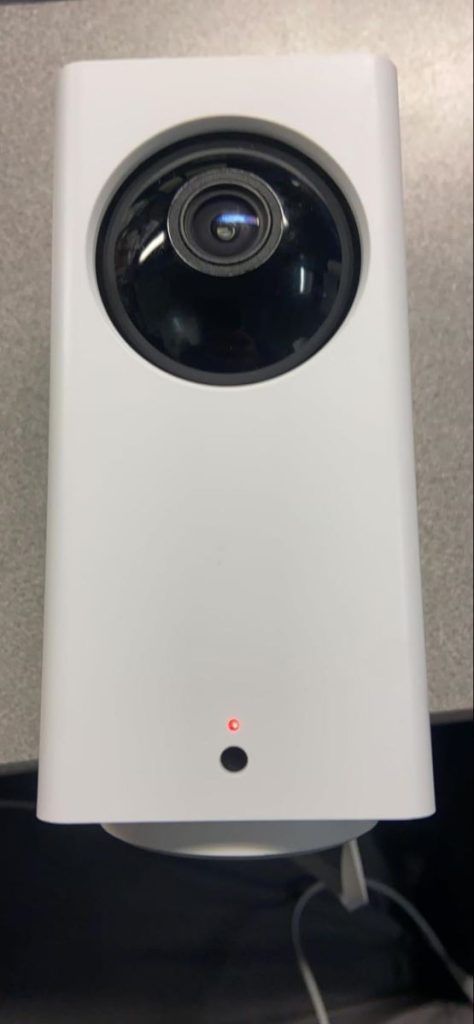
⭐ Best Feature: Advanced Mobility and Vision
If you want a security camera that sees everything, I recommend the WYZE Cam Pan v2. I installed it at home, and it’s great at covering every angle with its ability to spin around and tilt up and down. The night vision is super clear, even when it’s really dark, which helps me see every detail.
Setting up the camera’s patrol routes is useful. I can make it watch the front door, driveway, and back porch without touching it, just using my voice with Alexa and Google Assistant.
But, there are some downsides. The camera needs a strong Wi-Fi connection and only works with 2.4GHz Wi-Fi, which can be a bit limiting. Also, you need to buy a separate microSD card to record anything, which is an added cost and extra hassle.
Despite these issues, the WYZE Cam Pan v2 is great for keeping an eye on your whole house. It’s easy to use, especially with voice commands, and the clear video makes it easy to spot anything out of the ordinary.
Pros and Cons
- Extensive 360° horizontal and 93° vertical coverage
- 1080p color night vision for clear low-light images
- Compatible with Alexa and Google for easy voice control
- Custom patrol routes with up to 4 waypoints
- Requires continuous Wi-Fi connectivity, which can be unreliable
- MicroSD card needed for recording, not included
- Limited to 2.4GHz Wi-Fi networks
2. Kasa Indoor Pan/Tilt Smart Security Camera
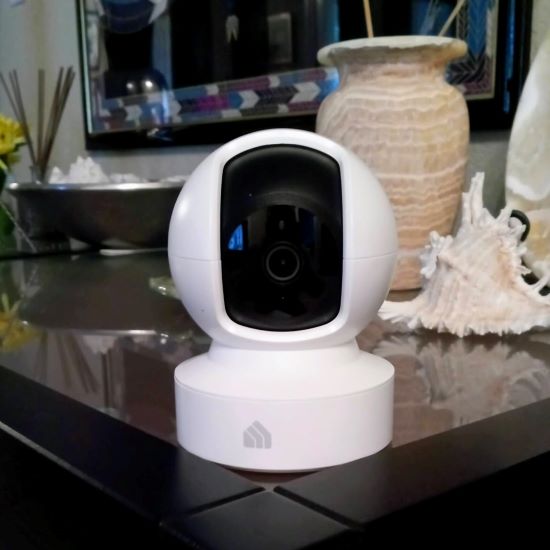
⭐ Best Feature: Voice-Activated Live Streaming
When I installed the Kasa Indoor Camera, it was a big help in keeping my place safe. It shows very clear videos day and night, thanks to its 1080p HD quality (which, despite not being 2k, was quite clear). It also alerts me with sounds if it notices anything strange, which is perfect for detecting unwelcome visitors or checking on quieter spots.
The camera can look around a whole room without any blind spots, which came in handy in my large living room. Using it with Alexa and Google Home is a breeze, which means I can control it with just my voice.
However, it needs a good Wi-Fi connection to work well, and because it has to be plugged in, you can’t just put it anywhere unless there’s an outlet close by.
Still, the Kasa Camera is a solid choice for anyone who needs a reliable way to watch over different parts of their home or office.
Pros and Cons
- 1080p HD resolution with night vision ensures clear visuals day and night.
- Pan and tilt functionality covers extensive areas, reducing blind spots.
- Sound and motion alerts keep users informed of any unusual activity.
- Smart home compatibility offers convenient voice control.
- Dependent on continuous Wi-Fi connectivity, which may be problematic in less serviced areas.
- Powered by corded electricity, which may limit installation options without nearby outlets.
3. GALAYOU Indoor Home Security Camera
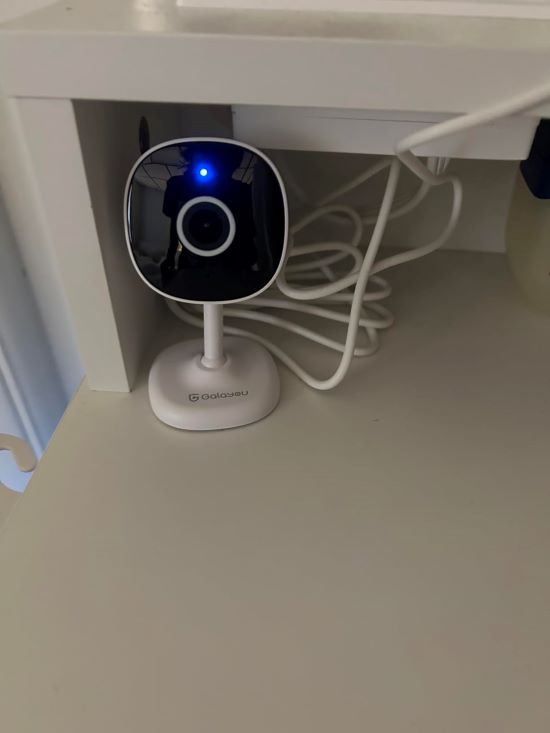
⭐ Best Feature: 2K Night Vision with Smart Siren
The GALAYOU camera really impressed me with its very sharp and clear pictures – thanks to its 2K resolution. I used it to keep an eye on my home and office, and it did a fantastic job, especially in dim light, seeing up to 33 feet away.
It alerts me right away if it sees someone it shouldn’t, and the loud alarm is great for scaring off intruders. The two-way talk is a nice feature, letting me talk to my family or pets when I’m out. It works well with Alexa and Google Home too, making it super convenient.
One downside is it only uses 2.4GHz Wi-Fi, which doesn’t fit with faster 5GHz networks, and it doesn’t come with an SD card, so you have to buy one to save videos.
But overall, the GALAYOU camera is excellent for anyone who needs clear, reliable indoor monitoring with quick alerts.
Pros and Cons
- 2K high-resolution imaging ensures detailed video footage.
- Smart alerts and siren for enhanced security response.
- Two-way audio facilitates communication with family or pets.
- Flexible storage options with both SD card and cloud integration.
- Limited to 2.4GHz WiFi, potentially restricting connectivity.
- Does not include an SD card, adding to initial expenses.
4. eufy Security Indoor Cam E220

⭐ Best Feature: Selective AI Recording
The eufy Security Cam E220 is smart enough to tell the difference between humans and pets, which means it only alerts when it’s really important. I used it to watch over key spots like the front door and my kids’ room, and it shows everything clearly.
The sound alert feature is great for knowing when something’s up at home that needs my attention, like if the baby’s crying. And I can control it all with my voice through Alexa or Google Assistant.
However, since it only works with 2.4GHz Wi-Fi, I had to adjust my internet settings to make sure it stays connected. Also, you need to buy a microSD card separately for storing videos, which is extra spending.
But for the clarity and control it provides, I found the eufy Security Cam E220 really worthwhile
Pros and Cons
- AI-driven selective recording enhances efficiency.
- High-resolution imaging with extensive pan and tilt.
- Sound detection for specialized monitoring needs.
- Broad smart home device compatibility.
- Limited to 2.4GHz Wi-Fi connections.
- Requires separate purchase of MicroSD card for local storage.
5. litokam Indoor Camera LF-C1t
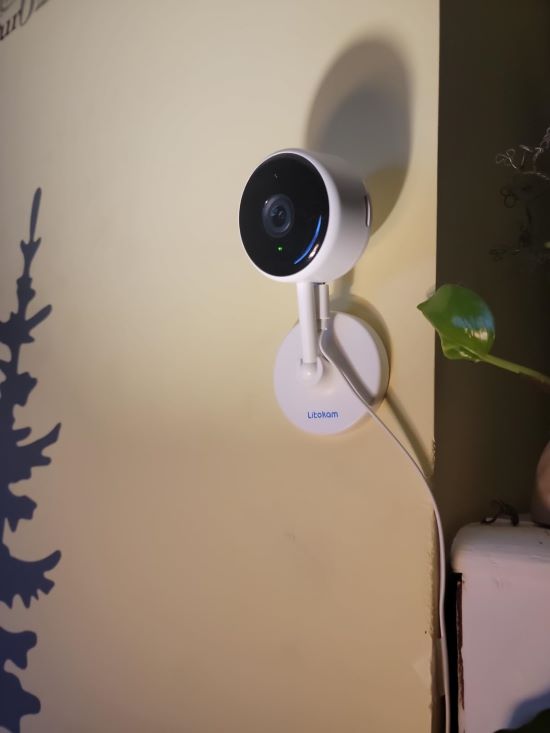
⭐ Best Feature: Precision Motion Detection
The Litokam Camera is fantastic for keeping things safe. It records super clear videos with its 2K resolution, so I never miss a detail, which is crucial for both home and business monitoring. The camera is smart at spotting humans, which means no false alarms, a real plus in busy places.
Everyone in my family can watch the camera feed at the same time, which is great when we all want to check on things. It offers both cloud and Micro SD storage options, but keep in mind, you have to buy the SD card separately.
The main drawback is that it only connects to 2.4GHz Wi-Fi, which might not work with some newer, faster networks.
Despite this, if you need a dependable camera that offers clear images and easy-to-use features, the Litokam Camera is a great pick.
Pros and Cons
- Crisp 2K video quality captures every detail.
- Advanced motion and sound detection reduces false alerts and enhances monitoring effectiveness.
- Supports multiple users, ideal for shared monitoring responsibilities.
- Limited to 2.4GHz Wi-Fi, potentially restricting connectivity in certain setups.
- Requires external purchase of storage media for local data retention.
How to Choose the Right Noise Activated Camera: Buying Guide
When choosing noise-activated cameras, consider video quality, night vision, two-way audio, and connectivity options. Look for high-resolution recording, effective IR night vision, clear two-way communication, and stable Wi-Fi or Ethernet connectivity for the best performance.
Here’s a breakdown of these features:
1. Video Quality and Resolution
The quality of the video that your camera records is crucial, especially if it needs to capture clear footage in various conditions. High resolution, typically measured in megapixels or terms like 1080p (Full HD) and 4K (Ultra HD), ensures that the video details are sharp. Higher resolution cameras provide more clarity, but they also require more storage space for recording.
2. Night Vision Capabilities
Night vision is a must-have for any security camera. It allows the camera to capture clear video even in low light conditions. Most modern cameras use infrared (IR) night vision to see in the dark. The effectiveness of night vision can vary, with factors like the number of IR LEDs and their range playing a significant role. Ensure the camera’s night vision is capable enough to cover the required viewing area in your setup.
3. Two-way Audio Features
Two-way audio is a handy feature that lets you communicate through the camera. This is particularly useful in doorbell cameras or security systems where you might want to talk to visitors or warn off intruders. The camera needs to have a built-in microphone and speaker. The quality of these components, as well as any noise reduction capabilities, will affect how clearly you can communicate.
4. Connectivity Options
The ability to connect to your home network is critical for modern cameras. Most connect via Wi-Fi, but some also offer Bluetooth for local setup processes or additional connectivity. Wi-Fi connectivity should be stable and robust, especially if the camera is placed at the edges of your network’s range. Some cameras also connect over wired Ethernet for more reliable service, which is something to consider if you experience unstable Wi-Fi.
All About The Best Security Camera With Sound Detection
The best sound detection camera is the one that suits your needs – just make sure to go through the buying guide and you’ll be able to find the right one! For me, I have found the Wyze Cam Pan v2 best for its advanced mobility and vision.
Tell me in the comments below which camera are you leaning to buy!
Here are more articles you may find interesting:
- Can You Change Ring Doorbell Sound? Yes – Here’s How!
- How to Increase Alexa Ring Doorbell Volume?
- Do You Need a Ring Doorbell Resistor?
Frequently Asked Questions
How much is the Eufy sound detection range?
Does a voice activated security camera record sound?
Are sound activated cameras worth it?