Key Takeaways:
- A ZigBee repeater boosts your smart home network by reaching and connecting farther devices.
- The repeater extends network range, stabilizes connections, and supports more devices.
- Place smart plugs or bulbs as repeaters to enhance signal across your home.
- Not all ZigBee devices serve as repeaters.
- Best ZigBee Repeaters:
For the best smart home setup, a strong and wide-reaching network is super important. For me, my ZigBee repeater is at the heart of this, acting as a link that makes my network reach further. Choosing the right ZigBee repeater can really boost how well and how far your smart home devices can talk to each other. In this post, we look at why picking the best and most budget-friendly ZigBee repeater matters a lot for your smart home setup and how you can do that!

How a Good ZigBee Signal Repeater Enhances Your Smart Home
A good Zigbee range extender is key for making sure your smart home devices talk to each other well, even if they are far apart. It does this without costing a lot.
Imagine you have set up your smart home devices, but some can’t connect well because they’re too far from the main hub. This is where a cheap but effective Zigbee repeater comes in. It is like a little helper that makes sure your devices can ‘hear’ and ‘talk’ to each other properly, even over longer distances.
Reasons Why a Zigbee Repeater Matters
- Extended Range: The most immediate benefit is the extended range. Devices that were once on the fringe of your network are now reliably connected.
- Enhanced Stability: Repeaters stabilize your network by providing multiple pathways for the signal, reducing the chances of a device dropping off due to a single point of failure.
- Increased Device Capacity: With a stronger and more stable network, you can add more devices without worrying about overloading the system or compromising performance.

How to Extend ZigBee Range Using ZigBee Repeaters?
To extend your Zigbee range, strategically place Zigbee repeaters or powered devices like smart plugs and bulbs throughout your home. These devices receive and retransmit signals, filling gaps and strengthening your smart home network’s connectivity.
Extending your Zigbee range helps you add more devices with smart placement. Here is how you can do it:
Steps to Extend Zigbee Range:
- Before adding any device, know the layout of your home and where your Zigbee hub is located. This helps in placing repeaters efficiently.
- Not all Zigbee devices act as repeaters. Generally, devices that are plugged into an outlet like smart plugs, bulbs, or dedicated repeaters work best.
- Place repeaters midway between the hub and the devices that need a stronger signal. Ensure there’s no interference from other wireless devices. Avoid obstacles like thick walls or large furniture that may block the signal.
- If you have a big home, consider using multiple Zigbee hubs. This can extend the range significantly as the signal is passed from one hub to the next.
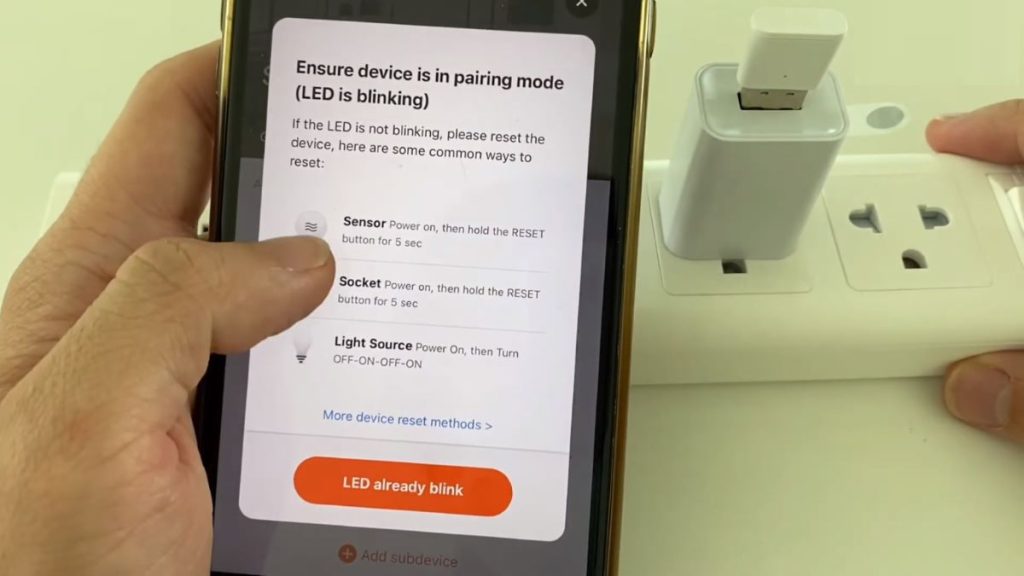
- Once placed, put your Zigbee hub into pairing mode and connect the repeaters. Test the network to ensure that the devices are communicating efficiently.
How to Conduct Zigbee Repeater Test?
To conduct a Zigbee repeater test, place the repeater in the right place, pair it with your network, and use device feedback or signal strength indicators to assess the improved coverage and connectivity of your Zigbee devices.
Testing your Zigbee repeaters ensures they are effectively extending your network’s range. Here is a step-by-step guide:
- Place your repeater where you believe it will best extend your network’s reach. This is typically midway between your hub and the furthest device.
- Ensure that your repeater is properly paired with your Zigbee hub. This may involve pressing a pairing button on the repeater and putting your hub in pairing mode.
- Many smart devices and hubs provide feedback on signal strength. After installing your repeater, check this feedback to ensure that the signal strength to distant devices has improved.
- Test the functionality of devices that previously had weak signals. This could involve turning lights on/off or checking sensor statuses. You can also use a zigbee signal booster to enhance the range through walls.
- Monitor your network over a few days. A successful repeater installation should lead to fewer dropouts and more stable performance across your devices.
- If you notice areas with still weak signals or unstable performance, consider adjusting the placement of your repeater or adding more repeaters as needed.
5 Best Cheap ZigBee Repeaters
For an effective and budget-friendly boost to your Zigbee network, these five repeaters offer reliable performance, enhancing the range and strength of your smart home connectivity without straining your wallet.
Zigbee repeaters are essential for enhancing the range and reliability of your smart home system. Here are five top picks that will get the job done effortlessly:

1. Philips Hue White Bulb (Phillips Hue ZigBee Repeater)
I’ve had my fair share of experiences with smart home technologies, and among the gadgets I’ve integrated into my setup, the Philips Hue White Bulb is an incredible one. Not only does it illuminate my space with a pleasant, adjustable white light, but it also doubles as an incredibly effective and budget-friendly ZigBee repeater.
What sets this bulb apart for me isn’t just its ability to integrate seamlessly with my existing smart home system via ZigBee. It’s how it extends the reach of my network, ensuring that devices further away from the hub maintain a strong connection. This feature alone makes the Philips Hue White Bulb a cornerstone in my smart home setup, enhancing reliability across the board without the need for additional, expensive repeaters.
However, it’s worth noting that to make the most out of this bulb, you’ll ideally need a Philips Hue Bridge. While some may see this as a downside, in my experience, the bridge unlocks the full potential of the Hue ecosystem, making this initial investment well worth it for the added functionality and control it provides.
Pros and Cons
- Acts as a ZigBee repeater, strengthening your smart home network.
- Offers adjustable white lighting to suit any mood or time of day.
- Easy integration with a wide range of smart home devices.
- Requires a Philips Hue Bridge for full functionality, which is an additional cost.
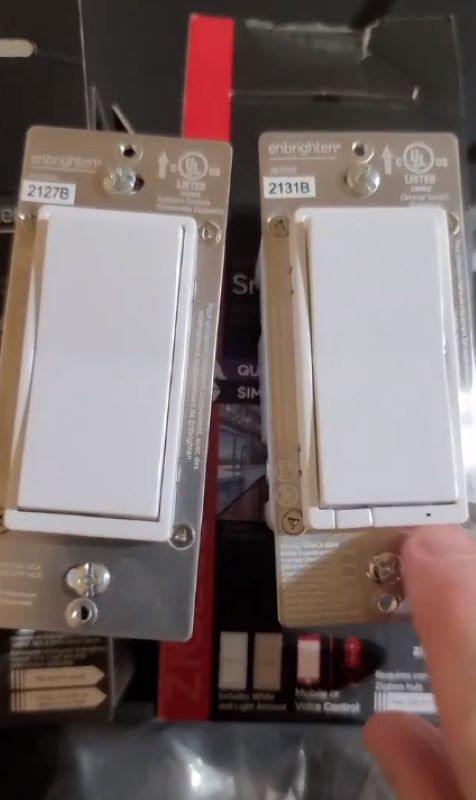
2. Enbrighten ZigBee Smart Light Switch
Another smart home device I’ve tried is the Enbrighten ZigBee Smart Light Switch, and it’s been amazing. This switch stands out for its easy installation, thanks to QuickFit and SimpleWire technology. You don’t need to be an expert in electrical work to get it set up quickly. It works directly with well-known hubs like SmartThings and Echo Plus, so there’s no need for extra bridges or apps.
In terms of performance, this smart light switch is impressive. It accurately controls my lights and serves as a strong ZigBee repeater, keeping my devices connected without any issues. Being able to control it with voice commands through Alexa and Google Assistant adds a lot of convenience, making it a key part of my smart home.
But, it’s not perfect. The design is pretty basic, which might not be everyone’s preference. Also, setting it up for the first time might seem a bit challenging if you’re new to smart home tech, even though the instructions are clear.
Pros and Cons
- Installing it is straightforward with QuickFit and SimpleWire technology.
- It’s directly compatible with major hubs.
- Acts as a dependable ZigBee repeater.
- Offers voice control via Alexa and Google Assistant.
- The design is simple and might not fit all preferences.
- The initial setup could be a bit tricky for newcomers to smart homes.
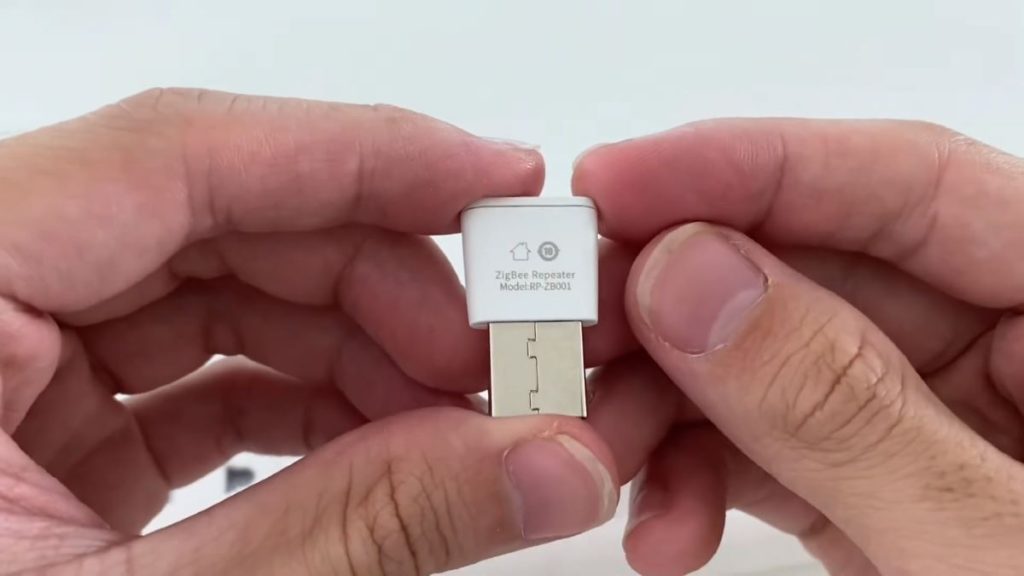
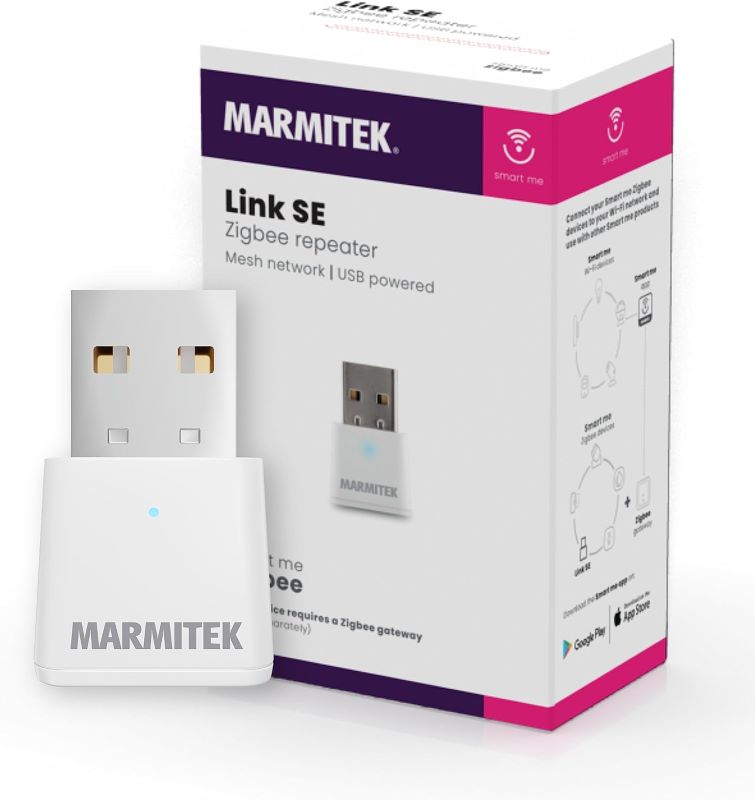
3. ZigBee 3.0 USB Signal Repeater & Extender
Next up, I tried the ZigBee 3.0 USB Signal Repeater & Extender, and I must say, it’s a must-have for enhancing your smart home on a budget. This device really shines for its simplicity and effectiveness. The setup is super easy. Just plug it into any USB power source, and it instantly boosts your ZigBee network’s signal.
This means you get fewer disconnections and a smoother experience with your gadgets across your home, which is key for them to work well when you need them. Its best feature is how it balances cost and performance. It’s a budget-friendly way to make your smart home devices work better. Since I started using it, my devices connect faster and more reliably.
But remember, if your house has very thick walls or a complex layout, you might still face some signal problems. Placing a few of these extenders around your home can help fix that. The downside is that it needs a USB power source, which could limit where you can put it. But, you can work around this by using a USB adapter or a power bank, letting you place it wherever it works best.
Pros and Cons
- Setup is a breeze
- Wallet-friendly
- Boosts signal and makes devices more responsive.
- Needs a USB power source, which might affect where you can put it
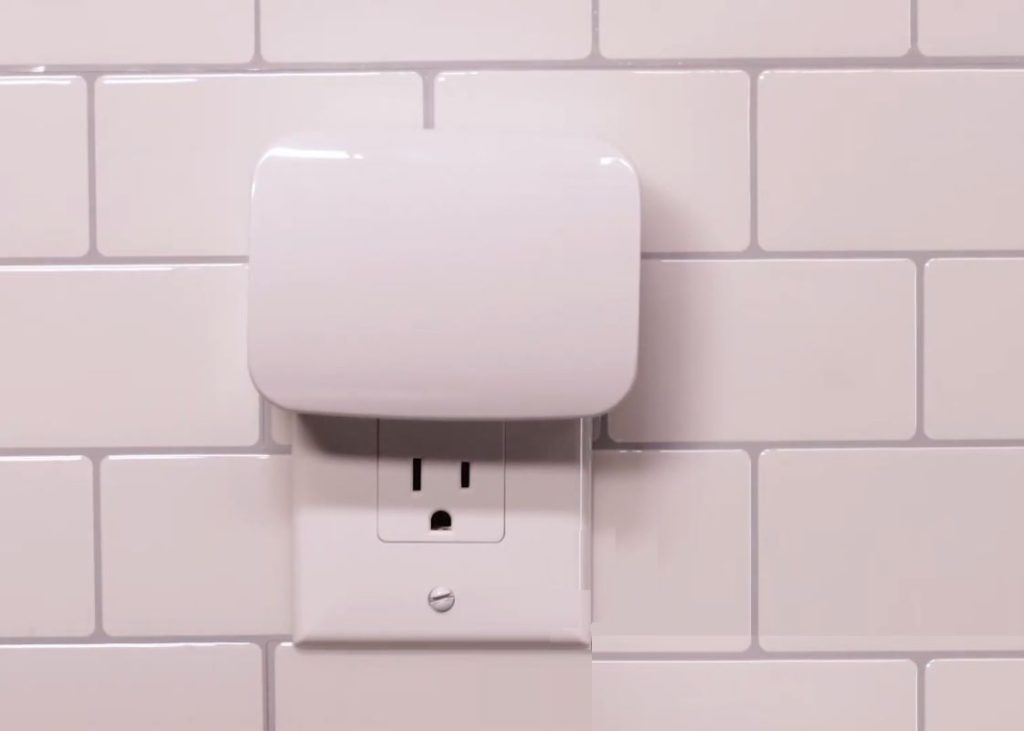
4. Enbrighten ZigBee Dimmer Outlet
The Enbrighten ZigBee Dimmer Outlet is another one that I got my hands on, and wow, it really is excellent. Right from the start, setting it up is a breeze. It connects directly to any ZigBee compatible hub, letting you control lights and other devices with ease.
What really sets it apart is the dual functionality: not only does it serve as a smart outlet, letting you dim lights to your preference, but it also acts as a ZigBee repeater, strengthening your home network’s signal. This dual punch means more reliable control over your devices and better connectivity throughout your space.
However, just like others, it’s not without its drawbacks. The dimming feature is limited to lights, so if you’re looking to control appliances, this might not be your best bet. Plus, the design is a bit bulky, which could be a hassle if your power outlet is in a tight space. But, these issues aside, its performance and price point make it a top choice.
Pros and Cons
- Easy to install
- Dual functionality as a dimmer and repeater
- Affordable.
- Limited to dimming lights
- Bulky design might not fit all spaces

5. Sylvania Smart + LED Bulb
Lastly, I tried the Sylvania Smart+ LED Bulb. This bulb is surely the best cheap ZigBee repeater I’ve found. In my journey with smart home tech, I’ve seen many gadgets. But this bulb is special because it lights up your room and boosts your ZigBee network without costing too much.
Setting it up is quick. It works with most ZigBee hubs, and I got it working fast. You can change the white light’s brightness and warmth, making any moment just right. Plus, it helps your smart home devices talk to each other better by extending your network’s reach.
But it’s not perfect. It only gives you white light, not colors. And if you don’t already have a ZigBee hub, this bulb won’t be as useful.
Pros and Cons
- Easy setup
- Good price
- Boosts your network
- Only white light, no colors
- Needs a ZigBee hub
| Product | Features | Pros | Cons |
|---|---|---|---|
| Philips Hue White BulbPhilips Hue White Bulb | Adjustable white lightZigBee repeater functionality | Acts as ZigBee repeaterAdjustable white light, easy integration | Requires Philips Hue Bridge for full functionality |
| Enbrighten ZigBee Smart Light Switch | QuickFit and SimpleWire technologyVoice control via Alexa/Google Assistant | Easy installationDirect compatibility with hubsVoice control | Setup can be tricky for newcomers |
| ZigBee 3.0 USB Signal Repeater & Extender | Plug into USB power sourceExtends ZigBee network signal | Easy setupBudget-friendlyBoosts signal | Needs USB power source |
| Enbrighten ZigBee Dimmer Outlet | Dimmer and repeater functionalityConnects to ZigBee hub | Easy to installDual functionalityAffordable | Limited to dimming lightsBulky design |
| Sylvania Smart + LED Bulb | Adjustable white light brightnessExtends ZigBee network reach | Easy setupGood priceBoosts network | Only white lightNeeds ZigBee hub |
Maximizing Your Smart Home with the Best ZigBee Repeaters
Investing in a reliable and cost-effective ZigBee repeater has been a game-changer for my smart home setup. It is incredible how such a small addition can make a big difference in the performance and reliability of your entire network. Recapping how ZigBee repeaters improve your smart home:
- A quality, budget-friendly ZigBee repeater is crucial for extending the reach of your smart home network, ensuring your devices remain interconnected and responsive, no matter their location.
- The right repeater also enhances the stability of your network, providing a stronger, more reliable connection and allowing for the addition of more devices without performance issues.
- Compatibility and strategic placement are key. Choose repeaters that work well with your existing setup and to place them thoughtfully within your home to maximize their effectiveness.
Remember, while Zigbee routers and repeaters serve similar functions in strengthening your network, they are not identical. Each plays its unique role in the mesh network, with routers also having the ability to control end devices directly.
Frequently Asked Questions
Do I need a ZigBee repeater?
Are all ZigBee devices repeaters?
What is the maximum ZigBee mesh range?
Zigbee router vs repeater: are they the same?