

Key Takeaways:
Best smart home PoE devices:
- 🎥 PoE Security Cameras:
- 🛎️ PoE Doorbells:
- 📶 PoE Access Points (Wi-Fi Extenders):
- 🏡 PoE Smart Home Hubs:
- 🔀 PoE Switches:
Over the years, I’ve tried and tested a ton of devices, and one thing that always impresses me is Power over Ethernet (PoE). In this post, I have talked about my experience with different PoE devices for home. Read on and find out what PoE devices you can add to your smart home to make it smarter!
Best PoE Devices for Home Use – Tried, Tested & Reviewed
🎥 PoE Security Cameras
I love PoE security cameras for their simplicity and reliability. With just one Ethernet cable for both power and data, these cameras are quite simple to install. PoE cameras also offer high-quality video, night vision and many advanced features. Plus, they are easily scalable for growing security needs. Here are 2 of the best ethernet cameras I have used so far:
1. Amcrest UltraHD 4K (8MP) IP PoE AI Camera

When I first set up the Amcrest UltraHD 4K (8MP) IP PoE AI Camera, I was impressed by its crystal-clear 4K video quality. Its full-color night vision provides vibrant images even in complete darkness. The camera’s 129° field of view ensures that I can cover a large area with just one device, which is ideal for keeping an eye on my property.
Its AI-powered human and vehicle detection comes in really handy as it minimizes false alerts. The built-in microphone captures clear audio, adding an extra layer of security.
The setup was also straightforward with the PoE (Power over Ethernet) connection, and the camera integrated smoothly with the Amcrest View app, allowing me to monitor my home from anywhere. The weatherproof IP67 housing ensures that the camera withstands harsh weather conditions, making it reliable for outdoor use.
One downside is the frame rate of 15fps at 4K resolution, which can cause slight motion blur during fast movements. However, this minor issue is overshadowed by the camera’s overall performance and value. So, in a nutshell, the Amcrest UltraHD 4K camera is a robust and reliable security solution.
Pros and Cons
- Crystal-clear 4K video quality
- Full-color night vision provides vibrant images even in complete darkness
- AI-powered detection minimizes false alerts
- Weatherproof housing withstands harsh conditions
- 15fps frame rate at 4K resolution can cause slight motion blur
2. REOLINK PTZ Security Camera System
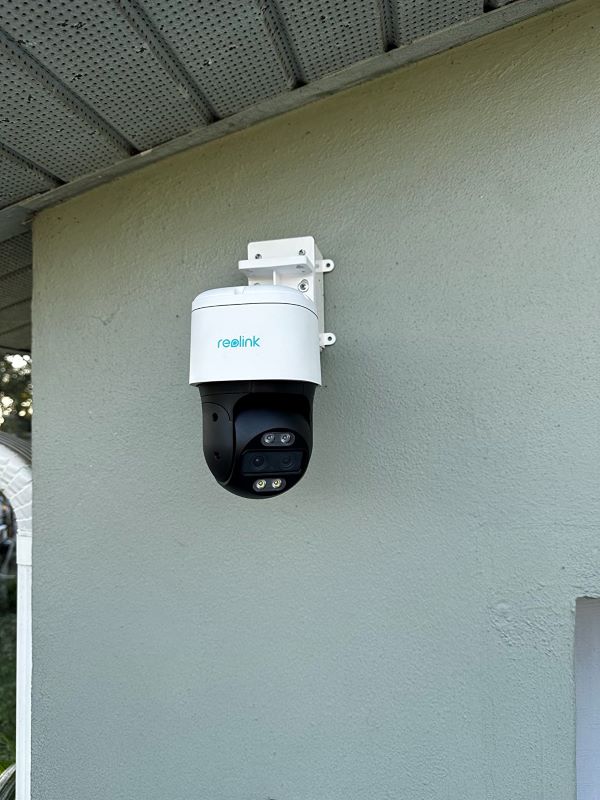
The REOLINK PTZ Security Camera System is another excellent PoE camera, especially with its ability to deliver both close-up details and a panoramic view on a single screen. Because of it, I never miss anything important, whether it’s a delivery at my doorstep or the kids playing in the yard.
The camera’s ability to track and zoom seamlessly is another thing I love about it. It’s not just about watching– it’s about actively keeping an eye on any movement. Whether it’s the mailman during the day or a raccoon at night, the camera adjusts its focus so I always get the best view possible.
The added benefit of reduced false alerts with its intelligent detection makes it even more dependable. And all this without the hassle of subscriptions or complicated setups, thanks to its reliable PoE technology.
While the system excels in many areas, it falls short with its night vision capabilities when the LEDs are off. It’s adequate, but not as powerful in near-dark scenarios as some other models I’ve tested. Still, I’d recommend it to anyone prioritizing thorough, user-friendly security solutions.
Pros and Cons
- Delivers both close-up details and panoramic views
- Tracks and zooms seamlessly for optimal surveillance
- Intelligent detection minimizes false alerts
- Easy and dependable PoE setup
- No subscription required for video playback
- Night vision performance is less effective in low-light without LEDs
🛎️ PoE Doorbells
Ever since I started using Ethernet Doorbells, I couldn’t go back. They are reliable, simple to set up with a single cable and simply awesome! Luckily, some of the best brands offer PoE doorbell options. You can check out my favorite PoE Doorbells here. And here’s my experience using the 2 best Ethernet doorbells:
1. REOLINK Video Doorbell PoE Camera

The REOLINK Video Doorbell PoE Camera is hands down the best PoE doorbell camera I’ve ever used. Initially, I was skeptical, but after using it, I can confidently say it’s worth every bit of praise. Its 5MP HD image quality and 180° wide view offer crystal clear visuals, ensuring I never miss a thing, even in low light conditions.
One of the standout features for me is the customizable chime with various tunes and voice messages, making interactions with visitors easy and enjoyable. The Power over Ethernet (PoE) design made installation so easy and the setup so reliable. This wired setup provides a rock-solid connection and consistent security coverage.
Additionally, I love the flexible storage options and not having to pay the monthly fees. Plus, the humanoid detection feature is incredibly accurate and has significantly reduced false alerts. Despite the need of a separate power supply and having to exclusively use the Reolink chime, the overall performance and reliability of this doorbell camera are outstanding.
Pros and Cons
- Clear 5MP HD image with wide 180° view
- Easy PoE installation with stable connectivity
- Customizable chime and voice messages
- Flexible storage options without monthly fees
- Accurate humanoid detection to reduce false alerts
- Only works with Reolink chime
- No included power supply
- Low volume for custom messages
2. Ring Video Doorbell Elite
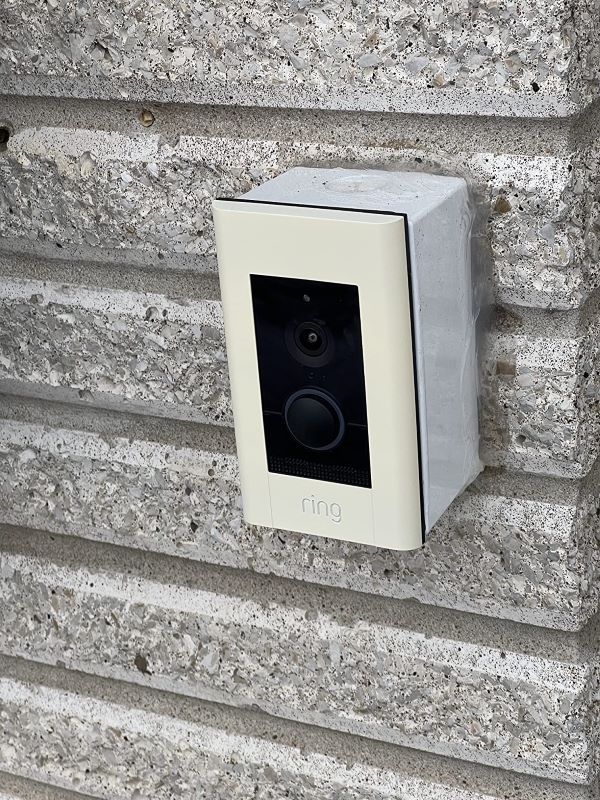
The Ring Video Doorbell Elite is a fantastic PoE doorbell. Its 1080HD video and infrared night vision are so clear that I never miss any details, day or night. The Ethernet connection means I don’t have to worry about charging batteries and always have a reliable connection.
I love that I can see, hear, and speak to visitors from my phone, tablet, or PC. It gives me peace of mind whether I’m home or away. The motion detection is great because I can set specific areas to watch, so I only get alerts for important movements.
The Power over Ethernet (PoE) makes installation easy since I don’t need extra power cables. It also works well with Alexa, so I can monitor it hands-free. However, setting it up does need professional help, which costs time and money. Also, to access recorded videos, you need a Ring Protect Plan, which adds to the expense.
Still, overall, the Ring Video Doorbell Elite is a strong addition to my security system. Its clear video, reliable connection, and smart motion detection make it perfect for boosting my home security.
Pros and Cons
- Clear 1080HD video with night vision
- Reliable Ethernet connection
- Peace of mind with see, hear, and speak functionality
- Smart motion detection reduces false alerts
- Easy installation with PoE
- Works with Alexa for hands-free use
- Needs professional installation
- Subscription required for accessing recorded videos
📶 PoE Access Points (Wi-Fi Extenders)
PoE access points offer great efficiency and ease of use. With a single Ethernet cable handling both power and data, installation is straightforward and tidy. These access points provide strong and reliable Wi-Fi coverage throughout my home. Plus, they eliminate dead zones and provide smooth connectivity for all my devices. Not to forget, their scalability allows you to expand your network as needed.
If you are looking for PoE Wi-Fi extenders, it may be worth looking into this:
1. ASUS Dual Band (RP-AX56) Repeater & Range Extender

I love the ASUS RP-AX56 WiFi 6 extender for how it integrated seamlessly into my existing network. As someone who appreciates both tech and simplicity, the dual-band capabilities and WiFi 6 support make this a compelling upgrade.
The real charm lies in its features like easy setup with the mobile app and the flexibility to use it in AiMesh systems. I set it up within minutes and expanded my home network without a hitch.
Whether you’re streaming in 4K, gaming, or just browsing, the throughput of 1800 Mbps ensures a smooth, lag-free experience. What impressed me the most was its ability to maintain strong connections, even in previously problematic areas of my home.
While the ASUS RP-AX56 generally performs well, I have noticed occasional connectivity drops. This issue seems to stem from its sensitivity in pairing mode, which can be a tad frustrating. Nonetheless, for the overall value and performance, it remains a solid option in the realm of WiFi extenders.
Pros and Cons
- Fast and stable WiFi 6 performance
- Easy to integrate with AiMesh
- User-friendly mobile app setup
- Enhances coverage effectively
- Occasional connectivity issues
- Blocks lower outlets when plugged in
2. TP-Link AC1900 WiFi Extender (RE550)
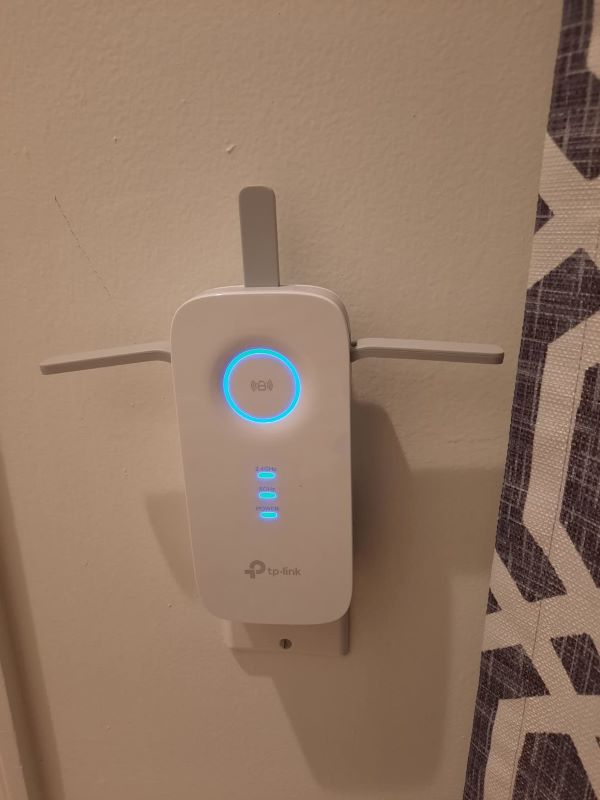
When I got the TP-Link AC1900 WiFi Extender (RE550), it truly transformed my home network. Its seamless WiFi coverage effortlessly reached areas that were once WiFi dead zones. With a coverage area of up to 2800 sq.ft and the ability to connect up to 35 devices, it’s an excellent solution for large homes.
Its dual-band speed of up to 1900Mbps means you can enjoy uninterrupted 4K streaming and online gaming on the 5GHz band, while still browsing the web on the 2.4GHz band. The intelligent signal light further lets you find the best placement for optimal coverage. Additionally, the Gigabit Ethernet port allows you to connect wired devices at high speeds, turning the extender into a powerful wireless adapter.
However, the setup process, especially through the TP-Link Tether app, can be a bit tricky and might require some technical know-how. But once it’s set up, the performance is stellar. All in all, the TP-Link AC1900 WiFi Extender is a fantastic investment for anyone looking to eliminate WiFi dead zones and improve their home network.
Pros and Cons
- Extensive coverage up to 2800 sq.ft
- High-speed dual-band WiFi up to 1900Mbps
- Gigabit Ethernet port for wired connections
- Intelligent signal light for optimal placement
- Setup process can be challenging
🏡 PoE Smart Home Hubs
I find PoE smart home hubs incredibly efficient and convenient. Other than the convenience of a clutter-free setup, these hubs are excellent for centralizing the control of all my smart devices. This allows for seamless communication and smooth automation. Here’s what my experience has been like with two of the best PoE smart home hubs I’ve ever used:
1. Google Nest Hub Max
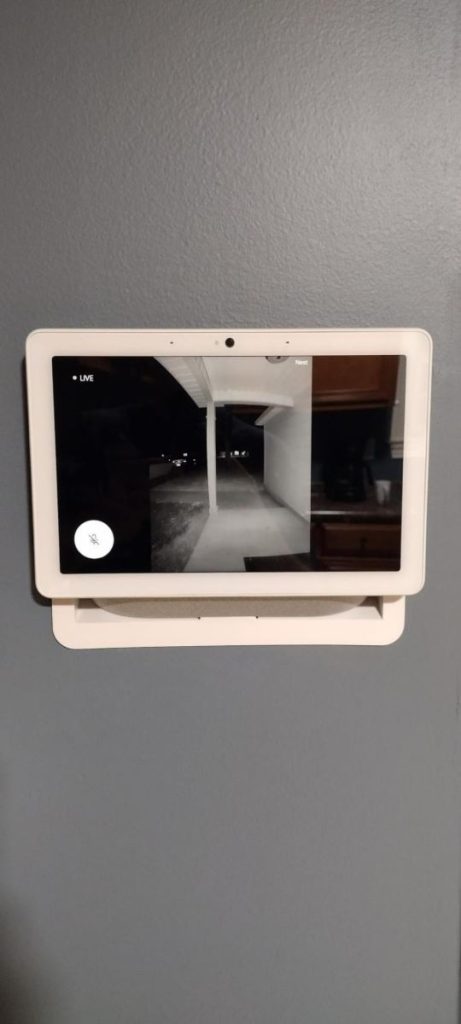
I’ve been using the Google Nest Hub Max for quite some time and I’m absolutely loving it! The 10-inch HD touchscreen is incredibly sharp, and having the Google Assistant built-in makes everyday tasks so much easier. I also love how simple it is to say, “Hey Google, call Mom,” and instantly be connected without having to fumble with my phone.
The 6.5MP camera is fantastic for video calls, keeping the picture clear and sharp. The stereo speakers with a 30W subwoofer provide surprisingly good sound quality, perfect for listening to music or watching videos. I also appreciate how the Nest Hub Max integrates with other smart devices in my home.
And with the Google Home app, I can control everything from my lights to my security cameras from one place. The auto-framing camera feature is a nice touch, keeping me in the frame during video calls even if I move around.
However, I did encounter a minor issue with the device’s power. One morning, the screen wouldn’t turn on, and I had to get a replacement. Thankfully, the process was smooth, and the new unit has been working flawlessly since. Despite this hiccup, I highly recommend the Google Nest Hub Max for its versatility and ease of use.
Pros and Cons
- Effortless video calls
- Great audio quality
- Easy smart home control
- Occasional power issues
- Spotlight brightness may not match standalone units.
- Dependent on Wi-Fi connectivity.
2. Amazon Echo Show 10 (3rd Gen)

When I first set up my Echo Show 10 (3rd Gen), I was impressed by its ability to control various smart home devices with just a simple voice command. The ease and convenience of managing my home environment without physical interaction felt incredibly futuristic.
The adaptive 10.1″ HD screen that moves with you was a game changer. It kept all my essentials—video calls, recipes, or shows—right in my sight, no matter where I moved in the room. Integrating and controlling smart devices directly from the hub was super easy, which enhanced my daily routines significantly.
However, in areas with uneven lighting or restricted movement, it sometimes struggled to track properly, which got frustrating. Despite this, the Echo Show 10 has genuinely enriched my daily home experience, blending entertainment, control, and connectivity in a very modern way.
Pros and Cons
- Voice control adds tremendous convenience
- Screen ensures information is always accessible
- Simplifies smart home management
- Inconsistent performance in suboptimal conditions
🔀 PoE Switches
Having extensively integrated various technologies in smart home setups, I find PoE (Power over Ethernet) switches incredibly effective (and quite underused to be honest). Transmitting power and data over a single cable, they reduce clutter and simplify installation. And I love its remote management capabilities, which gives me both convenience and system control.
If you want to get one for yourself, you can consider one of these (best) PoE switches (I have ever used!):
1. TRENDnet 8-Port Unmanaged 2.5G PoE+ Switch
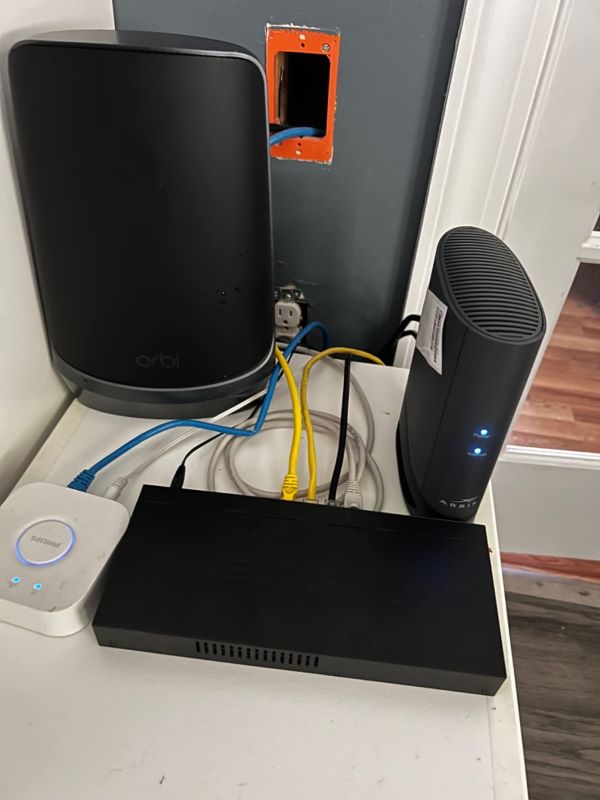
I got the TRENDnet TPE-TG380 when I was looking for a budget-friendly solution for my home network. Right off the bat, I loved its compact desktop design and metal housing, which was not just aesthetic but also pretty solid. With a 100W PoE budget, it supports up to four PoE+ devices, ensuring efficient power distribution.
What truly makes this switch a must-have is its reliable 2.5Gbps speed over existing cabling, thanks to its 8 x 2.5GBASE-T PoE plus ports. It’s perfect if you’re looking to enhance your home network without rewiring completely.
Plus, its fanless design means it operates silently—ideal for any room in the house. The ease of installation and backward compatibility with older devices makes it versatile and a smart investment.
However, its single-state status indicator can be a minor inconvenience. It doesn’t differentiate connection speeds visually, which might not suit everyone’s needs. Still, if you’re looking for a reliable and powerful network expansion option, this TRENDnet switch could be your answer.
Pros and Cons
- Compact and sturdy design
- High-speed connectivity (2.5Gbps)
- Silent operation
- Easy to install and use
- Single-state status indicator does not show different connection speeds
2. TP-Link TL-SG3210XHP-M2

If you’re in the market for a high-performance PoE switch, I’d totally recommend the TP-Link TL-SG3210XHP-M2. This Jetstream 8 Port Multi-Gigabit L2+ Managed PoE Switch has a robust 240W power budget and dual 10G SFP+ slots, making it an ideal choice for advanced home networks.
What truly sets this switch apart is how it’s tailored for efficiency and scalability. Each of its eight ports supports 2.5G bandwidth, ensuring high-speed data transfer across all connected devices. This capability really comes in handy when you’re running multiple high-demand devices simultaneously.
On top of that, the integration with Omada SDN enhances network management, providing a centralized, easy-to-use platform for configuring and monitoring your network components.
But its fan noise can be a nuisance if the switch is located in a quiet environment. Despite this, the TP-Link TL-SG3210XHP-M2 is a powerful asset for optimizing network performance while supporting numerous PoE smart home devices.
Pros and Cons
- High power budget
- 8x 2.5G and 2x 10G SFP+ ports for optimal connectivity
- Integrated with Omada SDN for simplified network management
- Noticeable fan noise
- Some users report UI issues with the Omada app
Why I Chose PoE Devices for My Home
🔧 Simplified Installation Process
When I first set up PoE devices, I was amazed at how easy it was. With PoE (Power over Ethernet), you only need one cable for both power and data. This single-cable solution significantly reduces the complexity of wiring. I saved a ton of time and avoided the mess of multiple cables running everywhere.
💸 Cost Savings on Electrical Wiring
One of the biggest perks for me was not needing electrical outlets near my devices. This meant I didn’t have to spend extra money on an electrician. When I installed my security cameras, it was such a relief to avoid those additional costs.
⚙️ Increased Reliability and Reduced Downtime
Switching to PoE brought a noticeable improvement in reliability. PoE offers a stable power source, and since making the switch, I’ve experienced far fewer disruptions and downtime with my devices.
🔄 Flexibility in Device Placement
PoE smart home devices offer incredible flexibility because you can place them anywhere within reach of an Ethernet cable. I was able to mount a camera in a tricky spot outside my house that wouldn’t have been possible otherwise. It worked perfectly and gave me peace of mind.
🔋 Energy Consumption Savings
PoE gadgets are remarkably energy-efficient, using significantly less power than traditional devices. Studies show that PoE can cut energy use by up to 50%. Personally, I noticed a drop in my energy bill after switching to PoE lighting.
🌱 Environmental Benefits
By reducing wiring and lowering energy use, Power over Ethernet devices help shrink your environmental footprint. It’s a win-win for both your home and the planet. I felt good knowing my choices were better for the environment.
How I Chose the Right PoE Devices for My Home
🏠 Assessing My Home’s Needs
- Security Considerations: I started by identifying areas that needed surveillance, like entry points and dark corners. This helped me choose the right PoE cameras for optimal coverage.
- Connectivity and Network Requirements: Ensuring strong Wi-Fi coverage was crucial. I evaluated where Wi-Fi extenders were needed to cover my entire house, including the backyard.
- Lighting and Energy Efficiency: I selected PoE lighting systems that aligned with my energy-saving goals. I opted for lights that can dim and change colors to suit different moods and activities.
🔗 Compatibility and Integration
- Ensuring Compatibility with Existing Devices: I checked if the PoE home devices could integrate smoothly with my current smart home setup. It was essential that all my devices could communicate with each other seamlessly.
- Integration with Smart Home Ecosystems: I ensured my PoE devices worked well with platforms like Google Home and Amazon Alexa. This made daily operations much smoother, as I use both systems for various tasks.
💰 Budget Considerations
- Cost vs. Benefits Analysis: Initially, PoE devices might seem pricier, but I compared the upfront costs with long-term savings and benefits. For me, the advantages far outweighed the initial investment.
- Long-Term Savings and ROI: I calculated potential savings in energy costs and maintenance. The energy savings alone made the investment worthwhile, and I expect to see continued returns over time.
PoE Devices For A Smarter Home!
PoE technology is a forward-thinking solution that enhances the efficiency and convenience of modern homes. By adopting PoE devices for home, you can enjoy improved connectivity, enhanced security, and significant energy savings.
Interested in Power over Ethernet devices? Check out these posts:
- All You Need to Know About Ring & Nest PoE Camera
- 5 Best Ethernet Doorbell Camera Options – Expert Reviews
Frequently Asked Questions:
What are the main differences between PoE and traditional electrical wiring?
Can I use PoE devices in an existing home setup without major modifications?
Are PoE devices safe for continuous use, especially for security purposes?


Hashir
Hi, I’m Hashir, a tech enthusiast with a deep love for smart home innovations. My interest in technology has always been driven by the idea of making everyday life more streamlined and efficient. After years of experimenting with smart devices in my own home, I’ve made it my mission to share what I’ve learned with others. I focus on practical, easy-to-understand solutions that anyone can implement to enhance their home. Writing for JustSmarter allows me to connect with fellow tech lovers and help them take their first steps—or next steps—into the exciting world of smart homes.