

Key Takeaways:
- No, Arlo cameras don’t work without Wi-Fi.
- Arlo cameras need internet for cloud storage, live streaming, and sending notifications.
- However, Arlo Go can work on cellular networks. It can store footage locally on an SD card without Wi-Fi.
Except for Arlo Go, all other Arlo cameras need Wi-Fi to function. What functions work and what don’t without Wi-Fi? And what can you do in case of an internet outage? These are some of the questions that I’ve answered in this post. So, let’s dive right in!
Do Arlo Cameras Work Without Wifi?
No, Arlo Cameras don’t work without Wi-Fi. Except for while Arlo Go, which can work with 3G/4G LTE wireless connections.
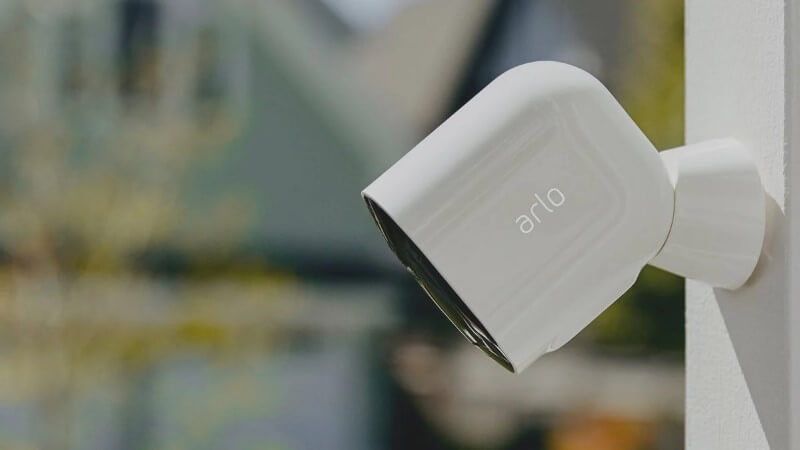
But Arlo cameras in general need a WiFi connection for full functionality, including live streaming, cloud storage, and remote access.
However, most of the Arlo cameras can still record videos without WiFi if they’re connected to an Arlo Smart Hub or Base Station, which saves the videos locally. This means they can keep recording when there’s no internet, but you won’t be able to watch the videos remotely or use smart features without WiFi.
Arlo Go 2: The Best No-WiFi Arlo Camera
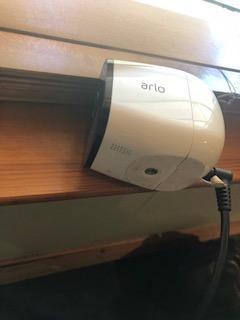
Truth be told, I wasn’t really a fan of the Arlo Go camera, but the Go 2 has seriously changed my opinion. First of all, obviously, its functionality without Wi-Fi through LTE connectivity makes it perfect for areas with spotty or no Wi-Fi.
The setup was a breeze. I loved being able to place the camera freely anywhere without worrying about power outlets or weather conditions. The swappable rechargeable battery further provided the freedom to install the camera even in the most remote corners of my property.
On top of that, the integrated night vision and spotlight feature gave me very detailed, colored images even in low-light conditions, which made it perfect for monitoring my outdoors 24/7.
However, the need for a separate service plan and the occasional LTE connectivity issues could be a dealbreaker for some. In areas with spotty cellular coverage, the camera’s performance was inconsistent.
Moreover, while the local microSD storage option was a plus, the ongoing cost and effort to manage it—especially if you prefer cloud storage—could be a point of contention.
Still, for what it’s worth, the Arlo Go 2 is a perfect solution for those needing flexible, reliable security coverage in non-traditional settings. Just be prepared for the additional costs and setup considerations.
Pros and Cons
- Works without Wi-Fi (LTE connectivity)
- Weather-resistant and completely wire-free
- High-quality night vision and video capture
- Requires separate service plan
- Potential LTE connectivity issues
- Additional costs for full functionality
What Happens When You Use Arlo Cameras Without Wi-Fi?
When you use Arlo cameras without Wi-Fi, you can’t see live feeds, access recordings remotely, or receive motion detection notifications. You also lose features like two-way audio and activity zones.

📵 No Remote Access: If there’s no WiFi, you lose the convenience of checking on your home from anywhere. You can’t switch the camera on or off or adjust settings from a distance, which is a bummer if you like to keep tabs on things while you’re away.
❌ No Cloud Storage: Usually, Arlo cameras save videos online, so you can watch them anytime. Without WiFi, that’s not possible. You miss out on the convenience of looking through past footage on your phone, which can be a big deal if you need to look back at something important that happened.
🔕 No Smart Alerts: A big perk of Arlo cameras is getting alerts on your phone for any strange activity. No WiFi means no alerts. So, if something moves or makes noise, you’re out of the loop, and that could mean missing out on important moments.
🚫 Limited Features: Say goodbye to handy features like talking through the camera, setting up specific areas to monitor, or calling for help through the camera without an internet connection.
💾 Manual Retrieval of Footage: Normally, watching what your camera caught is as easy as opening an app. Without WiFi, you have to physically get the storage device from the camera’s base station and hook it up to a computer to see the video. It’s a pain, especially if you’re in a hurry.
🌐 Initial Setup and Updates: Setting up and updating Arlo cameras is not possible without WiFi. Missing updates can leave you with outdated features or security risks. This makes your camera less effective and secure.
Will Arlo Work Without Wifi? Final Verdict
Without WiFi, Arlo cameras lose most functions like remote checking, cloud storage, and phone alerts. However, the Arlo Go series is an exception, which works with an LTE connection. Opt for Arlo Go 2 instead of Arlo Go.
Here are more articles you may find interesting:
- Does Ring Work Without WiFi? Here’s All You Need to Know
- Which Is The Best Video Doorbell Without Subscription?
- Is There a 4K Doorbell Camera Available on the Market?
- Which is the Best Continuous Recording Security Camera: The Top 7 in 2024
Frequently Asked Questions
Can Arlo Pro 3 work without internet?
Do Arlo cameras record without WiFi?
Can Arlo Pro 4 work without internet?
How to turn off Arlo camera without the app?
How to use Arlo camera without base station?
Can I use Arlo cameras with a mobile hotspot instead of WiFi?
Can I view recorded footage on multiple devices simultaneously?
Can you use Arlo without a router?


Hashir
Hi, I’m Hashir, a tech enthusiast with a deep love for smart home innovations. My interest in technology has always been driven by the idea of making everyday life more streamlined and efficient. After years of experimenting with smart devices in my own home, I’ve made it my mission to share what I’ve learned with others. I focus on practical, easy-to-understand solutions that anyone can implement to enhance their home. Writing for JustSmarter allows me to connect with fellow tech lovers and help them take their first steps—or next steps—into the exciting world of smart homes.