Key Takeaway
To enhance Ring video quality:
- Position your camera well, keep the lens clean, and maximize lighting.
- Ensure strong Wi-Fi, use a Wi-Fi extender, minimize interference, or switch to 5GHz.
- Keep your Ring app and devices up-to-date.
- Maximize video resolution and tweak motion zones.
- Enhance night vision with lights or infrared adjustments.
- Consider Ring Protect Plan for enhanced video quality.
Struggling with poor Ring Camera video quality? This guide covers tips to enhance footage clarity, from cleaning the lens to upgrading to Ring Protect Plan. Let’s get started!
How to Enhance Ring Video Quality
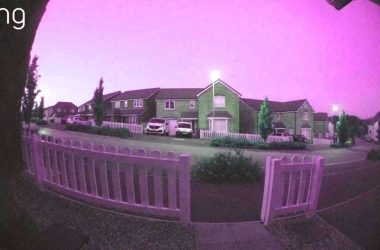
Clear video is key for effective security, and a few simple tweaks can make a big difference. Below, I’ve shared practical tips to enhance Ring video quality for a clearer footage.

1. Clean the Lens
Over time, your Ring Camera lens can gather dirt, dust, and debris, affecting video quality. Regularly clean the lens with a microfiber cloth to maintain clear footage.
For outdoor cameras, remove cobwebs or debris, and consider applying anti-fog and water-resistant spray to prevent water spots.

2. Optimize Camera Placement
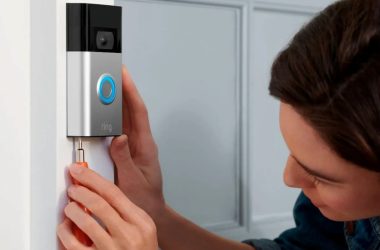
Camera placement and angle greatly affect footage quality. Here’s how to improve your Ring Camera’s placement:
- Adjust the angle if the view is too wide, narrow, or blocked.
- Mount the Ring Camera higher or tilt it to ensure a clear view of the desired area.
- Position your Camera in a clear spot without any objects, walls, or foliage blocking its view.
- Ensure your Camera is placed in a well-lit area to improve video quality.
- Don’t place your Ring device in direct sunlight or point it directly at bright lights. It can cause glare and reduce image clarity.

3. Improve Your Wi-Fi Connection
A poor Wi-Fi connection can result in lower video quality or lag. Here are a few things you can do to improve the quality of your Wi-Fi connection:
- Place your Wi-Fi router centrally, elevated, and unobstructed.
- Position your Camera within optimal range of the Wi-Fi router for a strong signal.
- Make sure your internet speed meets the minimum requirement of 2 Mbps upload speed.
- If the signal is weak, upgrade your router or add a Wi-Fi extender or a mesh network to boost coverage.
- Reduce interference by keeping your Ring Camera away from devices like microwaves, cordless phones, or other Wi-Fi devices.
- Switch to 5GHz Wi-Fi for a faster, more stable connection and better video quality.
- Switch to a less congested Wi-Fi channel in your router settings to reduce interference.
4. Adjust Camera Settings
Certain settings in the Ring app can help you improve its footage quality. Here’s what you can do:
- Maximize Resolution: Set your camera to the highest available resolution for the best possible video quality. In your Ring app, go to Device Settings > Video Settings and set the video resolution to the highest available option.
- Customize Motion Zones: Adjust motion zones to focus on the most important areas. This reduces unnecessary recordings and enhances footage quality.

5. Keep Firmware Updated
Regular firmware updates often include improvements to video quality and device performance. Keep your Ring Camera firmware updated for optimal performance.
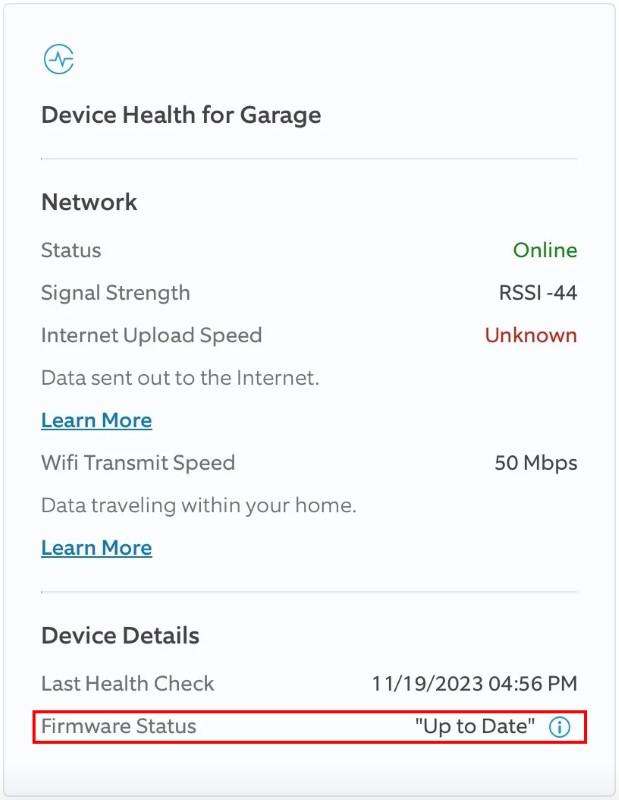
Updates are automatic, but if you missed one, here’s how to manually update it:
- Open the Ring app and select your Ring Camera.
- Tap Device Health.
- Go to Firmware, and if it’s outdated, a version number will appear, and Ring will update automatically.
- If it is already updated, it will show Up to Date instead of version number.
6. Enhance Night Vision
Good lighting is key for clear footage. If your Ring videos are blurry or dark, add lights like floodlights or smart bulbs near the Ring Camera to improve night vision. For grainy night footage, try adjusting or disabling infrared settings in the Ring app to enhance clarity.
7. Switch to Better Cameras
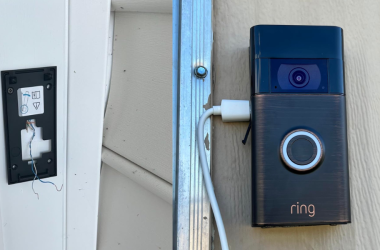
Sometimes, the best way to get better footage is to upgrade your hardware. If your Ring Camera has run its course, it’s just better to buy a new one for better footage quality.
The Ring Doorbell Pro 2, for example, offers higher resolution and better night vision than older models. It also includes features like 3D motion detection and bird’s eye view tracking, providing clearer and more detailed footage.
8. Consider Ring Protect
Subscribing to Ring Protect unlocks higher-quality video recording and advanced features, such as extended cloud storage and enhanced video resolution. This investment can make a noticeable difference in the overall clarity and quality of your footage.
Ring Cameras With Clear Footage Are Safer
Now you know how Wi-Fi, lighting, and camera angle affect video quality. Keep these in check and maintain regularly for clear footage.
To learn more about your Ring devices, check out the posts below:
- If your Ring video freezes, check Wi-Fi, restart device and router, update app and firmware, test on another device, and contact Support if needed.
- You can use Ring Camera 5GHz or 2.4GHz, depending on whether you want speed or range.
- A Ring Doorbell can work with a mobile hotspot, but it’s unreliable.
Frequently Asked Questions
Why is my Ring video blurry?
How to edit Ring video?
How good is Ring video quality?


Hashir
Hi, I’m Hashir, a tech enthusiast with a deep love for smart home innovations. My interest in technology has always been driven by the idea of making everyday life more streamlined and efficient. After years of experimenting with smart devices in my own home, I’ve made it my mission to share what I’ve learned with others. I focus on practical, easy-to-understand solutions that anyone can implement to enhance their home. Writing for JustSmarter allows me to connect with fellow tech lovers and help them take their first steps—or next steps—into the exciting world of smart homes.