

Key Takeaways:
- No, Ring does not allow geofencing for multiple users.
- But you can add multiple users (like your family members) on the Ring app, so everyone can arm or disarm the system as needed.
- For tech-savvy peeps, you can try integrating smart home hubs or IFTTT.
- Or try out substitute security cameras that natively support multi-user geofencing:
I noticed a problem when setting up Ring’s geofencing for my family— Ring doesn’t support geofencing for multiple users! A quick search on the Google and I realised many struggle with this issue. So, here’s a post to help you cope with Ring’s lack of support for multi-user geofencing.

Can I Set Up Ring Geofence For Multiple Users?
No, you can’t set up Ring Geofence for multiple users. Right now, this feature works for only one user per device. For example, if you have geofence active on your profile for a particular Ring device, it will only register your location and work accordingly.
So, if you leave home and your family is still there, Ring would think no one is at home and will send you alerts accordingly— depending on how you have configured your geofence.
What’s The Best Workaround For Ring Multi-User Geofencing
Unfortunately, there is no magical solution to Ring’s lack of native support for multi-user geofencing. I could tell you that some made it work with smart home hub integrations or IFTTT like Home Assistant, but it’s very tech-heavy, and you can still only do very basic stuff with it.
The best solution is to…
Manage Security Manually with Multiple Users
What I found the best is to add all my family members to the Ring app (it allows multiple users) so they can manually manage devices in a security system.
To add someone as a “Shared User” on the Ring app:
- Open the Ring app and tap the menu (≡) > Settings >Shared Access or Users and Pets.
- Select Add User > Shared User.
- Enter the email address of the person you want to add.
- Toggle ON the devices you want to share with them.
- If you’re sharing access to a Ring Alarm system, create an access code to keep it safe.
- Tap Send Invite.
If the person you have sent it to already has a Ring account, they’ll be automatically added as a Shared User. Or else, they’ll receive an email detailing the steps to get access as a Shared User on your Ring security system.
Having this setup in place for myself and my family, all we have to make sure is that the last person who leaves the house manually arms the alarm and updates on the family group. Then, whoever reaches home first can manually disarm the alarm. Honestly, this is the best and simplest solution.
However, if you dare, and if you are tech-savvy enough, here are some innovative solutions:
Smart Home Hub Integration & IFTTT
Some people have found success integrating smart home hubs like Home Assistant or Hubitat to make for Ring’s lack of multi-user geofencing capabilities. For example, some Ring users have created automations using the Combined Presence app with Hubitat to arm or disarm alarms automatically based on the location of the users in a system.
Or your could use IFTTT‘s Group Location feature to automate certain controls based on users’ locations.
How Does Ring Geofence Work?
Ring’s geofence basically sets a virtual boundary around your home or office (wherever you have a Ring device with geofence feature set up).
Once enabled and set up, it tracks your mobile device’s location using GPS and mapping technology. As you leave from or return to your geofenced location, it may automatically change security modes and snooze alerts (based on how you have configured it).

How to Enable Geofencing for One User in Ring
- Open the Ring app on your smartphone.
- Tap the three lines in the upper left corner to access the menu.
- Select Settings from the menu.
- Choose Modes and Automation.
- Tap on Geofence.
- Select Turn on Feature to enable geofencing.
- Read the information provided and adjust your geofence settings as needed, including defining the boundary and selecting actions for entering or leaving the area.
Which Other Security Systems Support Multi-User Geofencing?
Eufy and Arlo security systems support multi-user geofencing. Eufy’s automatic geofencing minimizes false alarms and optimizes battery life, while Arlo’s app simplifies customization, providing reliable night vision, and smooth functionality.
Here is what make these security cameras a great choice for multi-user geofencing.
1. Eufy Security Cameras
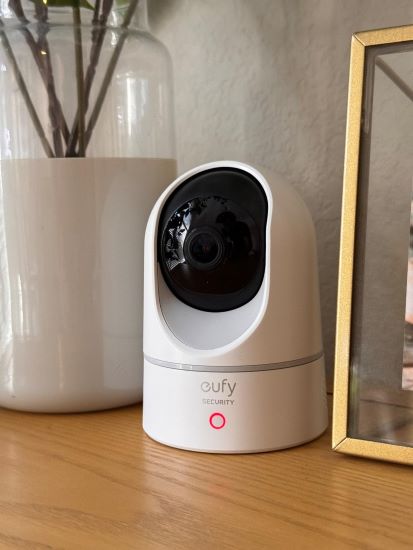
I found Eufy Security Cameras to offer an excellent multi-user geofencing feature. Setting it up was easy, and the system switches between Home and Away modes based on everyone’s location. This reduces false alarms and prevents unnecessary notifications, which I love because it simplifies my security management.
What makes Eufy really stand out for me is how it handles multiple users without any manual switching. The cameras capture high-resolution video, and the smart geofencing optimizes battery usage by adjusting recordings based on who’s home.
2. Arlo Security Cameras
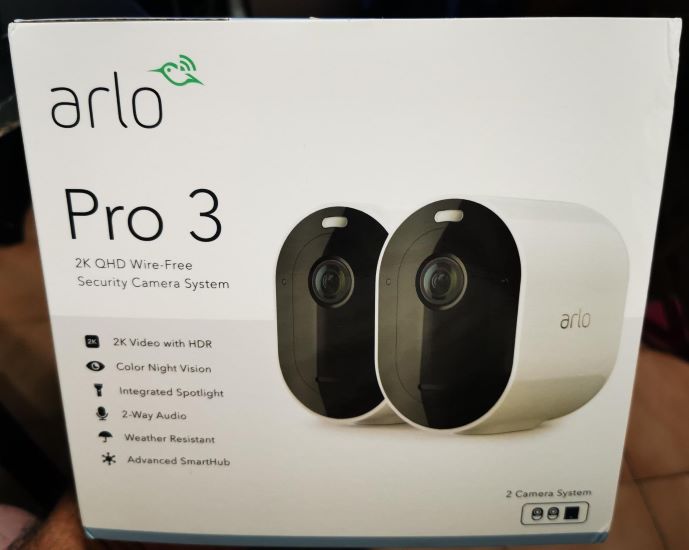
I’ve also tried Arlo Security Cameras, which provide reliable multi-user geofencing. Arlo tracks each user’s smartphone location to manage the cameras. This means the system automatically arms itself when the last person leaves and disarms when the first person returns, which minimizes false alarms.
The Arlo app makes it easy to set up and customize geofencing. I can quickly assign actions for different scenarios, and the cameras deliver excellent video quality, night vision, and useful features like motion detection. Together, these make the geofencing functionality smooth and effective.
Ring Geofencing Multiple Users Made Easy!
In my opinion, adding Shared Users to your Ring security system is the simplest solution. Just ensure the last person who leaves the house informs others and arms the alarm.
Here are more articles you may find interesting:
- Ring Camera and Ring Doorbell Disappeared from App: What to do Now?
- Why My Ring Doorbell Only Rings Once?
- Ring Doorbell Disconnected From WiFi And Won’t Reconnect: What To Do?
Frequently Asked Questions
Is Alexa geofencing multiple users possible?
Does geofencing work if the location is off?
What are geofencing restrictions?
Does geofence use GPS?


Hashir
Hi, I’m Hashir, a tech enthusiast with a deep love for smart home innovations. My interest in technology has always been driven by the idea of making everyday life more streamlined and efficient. After years of experimenting with smart devices in my own home, I’ve made it my mission to share what I’ve learned with others. I focus on practical, easy-to-understand solutions that anyone can implement to enhance their home. Writing for JustSmarter allows me to connect with fellow tech lovers and help them take their first steps—or next steps—into the exciting world of smart homes.