

Key Takeaways:
- No, it is normal to install cameras indoors.
- Security cameras at home help:
- Deter intruders
- Monitor loved ones
- Safeguard valuables
- The best spots to place indoor cameras are:
- Near entry points
- Living room
- Garage
- Nursery
- Home office
- 3 best indoor security cameras:
When I first considered installing cameras inside my home, I felt unsure if it would create a sense of security or discomfort. After weighing the pros and cons and learning from my own experiences, I’ve put together this guide to help you decide whether you should have cameras in your house or not.
Is It Normal To Have Cameras Inside Your House?
Yes, it’s normal—and increasingly common—to have cameras indoors. They provide security, monitor kids and pets, and let you keep an eye on your home from anywhere. Personally, I’ve found them invaluable for peace of mind.

For example, I’ve used indoor cameras to check on my dog when I’m at work and ensure my elderly parent is safe. Two-way audio features even let me interact with them remotely, adding an extra layer of connection.
What Are The Benefits of Security Cameras Inside the House?
Indoor cameras aren’t just for catching intruders—they offer multiple practical benefits:
- 🛡️Enhanced Security: Indoor cameras deter burglars and capture crucial evidence during a break-in. Immediate alerts on your phone let you act quickly, whether it’s calling the police or checking your home remotely.
- 🐾Monitoring Loved Ones and Pets: I use cameras to keep an eye on my kids, elderly relatives, and even my dog. Two-way audio allows me to remind the kids to lock the door or calm my dog if he’s anxious.
- 📦Tracking Deliveries and Renovations: Indoor cameras near entry points help me monitor deliveries and ensure contractors stick to renovation plans. Bonus: This added security can sometimes lower insurance premiums.
- 🚨Reducing False Alarms: Smart cameras with customizable motion detection help filter out unnecessary notifications, like pets moving around, ensuring I only get alerts for real concerns.

What Are The Common Privacy Concerns of Indoor Cameras?
While indoor cameras are useful, they also raise valid privacy concerns. Here’s how to address them:
- 📜Comply with Local Laws: Be aware of laws in your area. For example, recording audio might require consent. Inform visitors about cameras to avoid legal trouble.
- 🚫Avoid Invasive Placement: Placing cameras in common areas like living rooms is fine, but avoid private spaces like bedrooms or bathrooms to maintain trust and respect.
- 🏡Transparency in Rentals: If you’re a landlord or Airbnb host, always disclose the presence of cameras and place them only in public areas. Hidden cameras violate trust and platform policies.
- 🌳Respect Neighbors’ Privacy: Initially, my outdoor cameras captured parts of my neighbor’s yard, sparking concerns. Repositioning the cameras to focus on my property solved the issue.
- 🔒Secure Your Camera Feeds: Hackers target unsecured camera feeds. I’ve implemented strong passwords, two-factor authentication, and encryption to safeguard my footage.
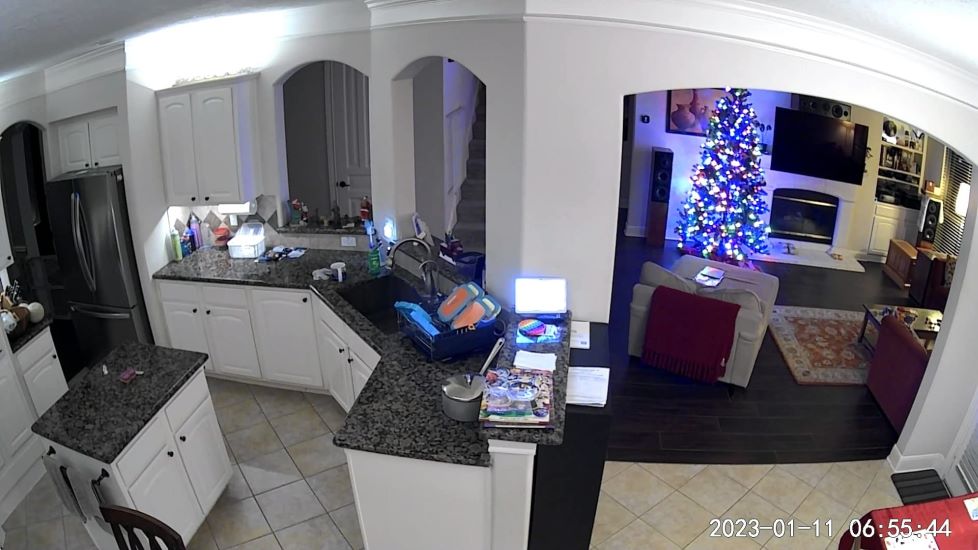
How To Overcome Privacy Challenges of Cameras Inside Home?
When using indoor cameras at home, privacy challenges can be managed with careful planning and proactive security measures. Here’s what has worked for me:
- 1️⃣ Transparency and Consent
When I installed cameras, I made sure to discuss the placement with my family. It’s essential to avoid private areas like bedrooms or bathrooms and always let guests know about the cameras. This way, everyone feels respected and secure.
- 2️⃣ Securing Camera Footage
I’ve learned to protect my footage by using strong passwords and enabling two-factor authentication. Regular firmware updates and data encryption are non-negotiable. Personally, I prefer local storage for sensitive recordings—it’s safer than relying on the cloud.
- 3️⃣ Motion Detection Settings
Setting up motion zones in the camera app has been a game changer for me. It helps avoid unnecessary recordings and keeps alerts focused on actual concerns. Adjusting the sensitivity also means I don’t get alerts every time my cat strolls by!
- 4️⃣ Choosing the Right Cameras
Not all cameras are created equal, and I’ve found that investing in high-quality models with robust privacy settings is worth it. Features like two-way audio and intelligent alerts make them both secure and practical for my needs.
- 5️⃣ Network Security
A secure home network is the backbone of any smart system. I’ve taken steps like setting strong passwords, using a reliable router, and limiting network access to trusted devices. Adding a VPN has also provided peace of mind by keeping my data encrypted.
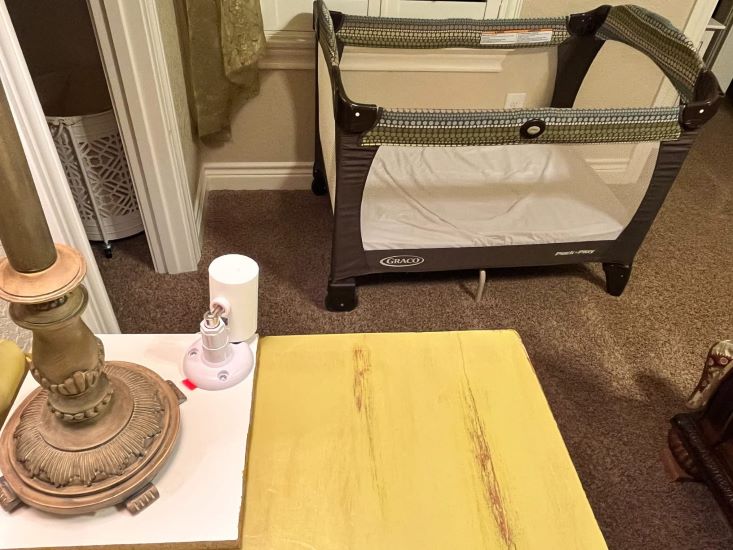
Where To Place Indoor Security Cameras?
Finding the right spots for your indoor security cameras ensures you cover important areas without compromising privacy. Here’s what I’ve learned works best:
- Main Entry Points: Cameras at front and back doors give me peace of mind, knowing I can monitor who’s coming and going.
- Hallways: These are great for tracking movement without invading private spaces like bedrooms.
- Living Room: It’s a central spot for monitoring general activity while staying non-intrusive.
- Garage/Basement: These areas often house valuables, so securing them is a must for me.
- Home Office: Protecting my work equipment and files is a priority, especially when I’m not around.
3 Best Indoor Security Cameras
Here are three excellent options for indoor security cameras:
1. Ring Indoor Cam
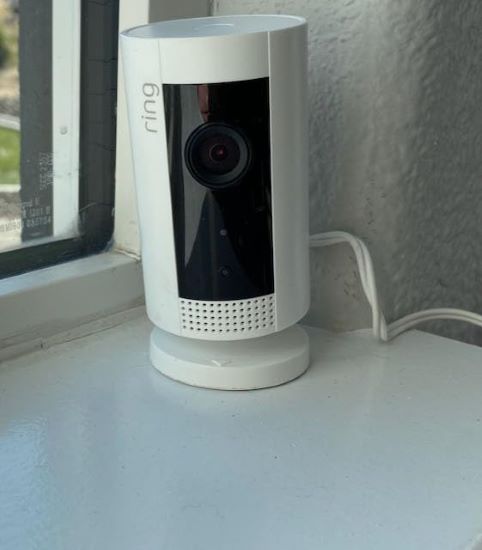
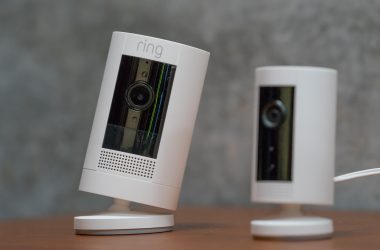
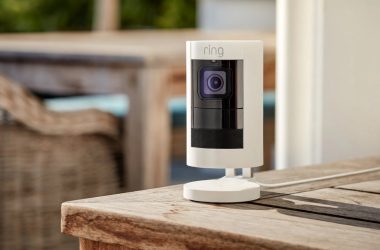
The Ring Indoor Cam delivers reliable performance with 1080p HD video and two-way audio. It’s compact and integrates seamlessly with Alexa for voice commands, making setup and placement easy. I’ve used it to communicate with family remotely and even deter an intruder by speaking directly through the camera. It made them aware they were being watched.
Pros and Cons
- High-definition video quality
- Two-way audio
- Alexa compatibility
- Easy installation
- Requires continuous power
- Subscription needed for full features
- Potential privacy concerns
2. WYZE Cam Pan v3 Indoor Cam
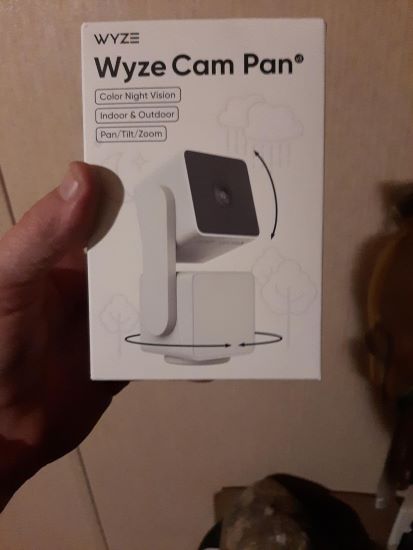
The WYZE Cam Pan v3 offers 360-degree coverage, eliminating blind spots with its pan-and-tilt feature. Its color night vision provides excellent clarity in total darkness. Integration with Alexa and Google Assistant makes it convenient to control, especially when multitasking.
Pros and Cons
- 360-degree pan and tilt
- Excellent night vision
- Smart home integration
- Easy setup
- Requires constant power supply
- Subscription needed for full features
3. Google Nest Indoor Security Cam
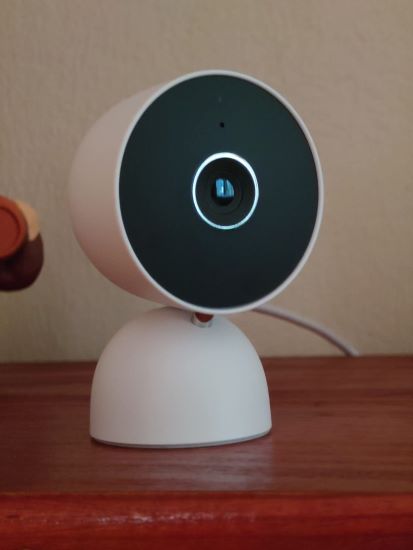
The Google Nest Indoor Cam provides 1080p HD video and two-way audio, making it easy to monitor and interact with visitors. Its standout feature is its seamless integration with Google Assistant and the Google Home ecosystem, ensuring smooth access and control through familiar apps and devices.
Pros and Cons
- High-quality 1080p HD video
- Two-way audio
- Seamless Google Assistant integration
- Intuitive app with smart alerts
- Requires a subscription for advanced features
- Constant power supply needed
Is It Okay To Use Cameras Inside The House? — Final Thoughts
It is not only okay but a smarter and safer choice to use cameras inside your house for a secure home. However, it’s important to use them responsibly by respecting personal spaces, securing data, and communicating openly about their presence with your family and guests.
Here are more articles that you may find interesting:
- Expert Answers To Ring Indoor Camera Frequently Asked Questions
- Why Is My Wyze Camera Upside Down & How To Fix It?
- Top Nest and Ring Camera 5GHz Models – Expert Reviews
Frequently Asked Questions
How can you use indoor security cameras responsibly?
Is it better to have indoor or outdoor cameras?
How do you stop a camera from recording you?
Do house cameras record everything?


Hashir
Hi, I’m Hashir, a tech enthusiast with a deep love for smart home innovations. My interest in technology has always been driven by the idea of making everyday life more streamlined and efficient. After years of experimenting with smart devices in my own home, I’ve made it my mission to share what I’ve learned with others. I focus on practical, easy-to-understand solutions that anyone can implement to enhance their home. Writing for JustSmarter allows me to connect with fellow tech lovers and help them take their first steps—or next steps—into the exciting world of smart homes.