Key Takeaways
- To enable/disable Ring Camera animal detection:
- Open the Ring app and tap menu ≡ > Devices.
- Select your Ring Camera/Doorbell.
- Tap Motion Settings.
- Toggle OFF/ON the People Only Mode option.
- To fix Ring Camera not detecting animals, increase motion sensitivity:
- Open the Ring app.
- Navigate to menu ≡ > Devices.
- Select your Ring Camera/Doorbell.
- Tap Motion Settings > Motion Sensitivity.
- Move the Motion Sensitivity Slider to the higher degree and tap Save.
Can Ring detect animals like it detects humans? Absolutely! In this post, I’ll guide you through everything you need to know about the Ring Camera animal detection. You’ll discover how it works and how to optimize it for your needs. Let’s start!
Does Ring Camera Detect Animals?
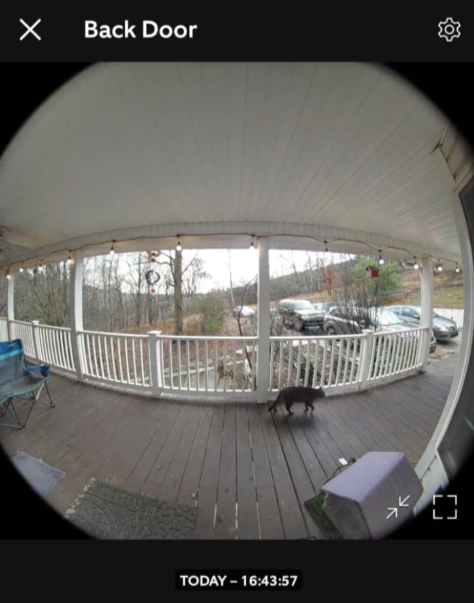
Yes, Ring Cameras can detect animals. These cameras have motion detection technology that identifies movement, whether from humans, animals, or other objects. You can customize the motion settings to reduce or enhance Ring Camera animal detection based on your preferences and minimize false alerts.
Does Ring Doorbell Pick Up Animals?
Yes, Ring Doorbells can pick up animals. They use motion-detection technology with Passive Infrared sensors and computer vision, which detects animal movements. You can adjust the settings in the Ring app to reduce animal-triggered notifications if you want.

So, yes, Ring Doorbells and Cameras can detect animals. But it might lead to frequent motion alerts if you live in an area with a lot of wildlife. This can be distracting and drain the battery faster on battery-powered models. So, it’s best to adjust the motion settings to reduce or disable alerts triggered by animals.
How to Set Ring Camera to Detect Animals
To turn on your Ring Camera animal detection, follow these steps:
- Open the Ring app and select the Ring Camera you want to adjust.
- Go to Motion Settings in your selected device’s options.
- Tap Motion Sensitivity and adjust the slider to make your Camera more sensitive to movement, increasing its ability to detect animals.

- If you’re getting too many false alerts, you can lower the Camera’s motion sensitivity.
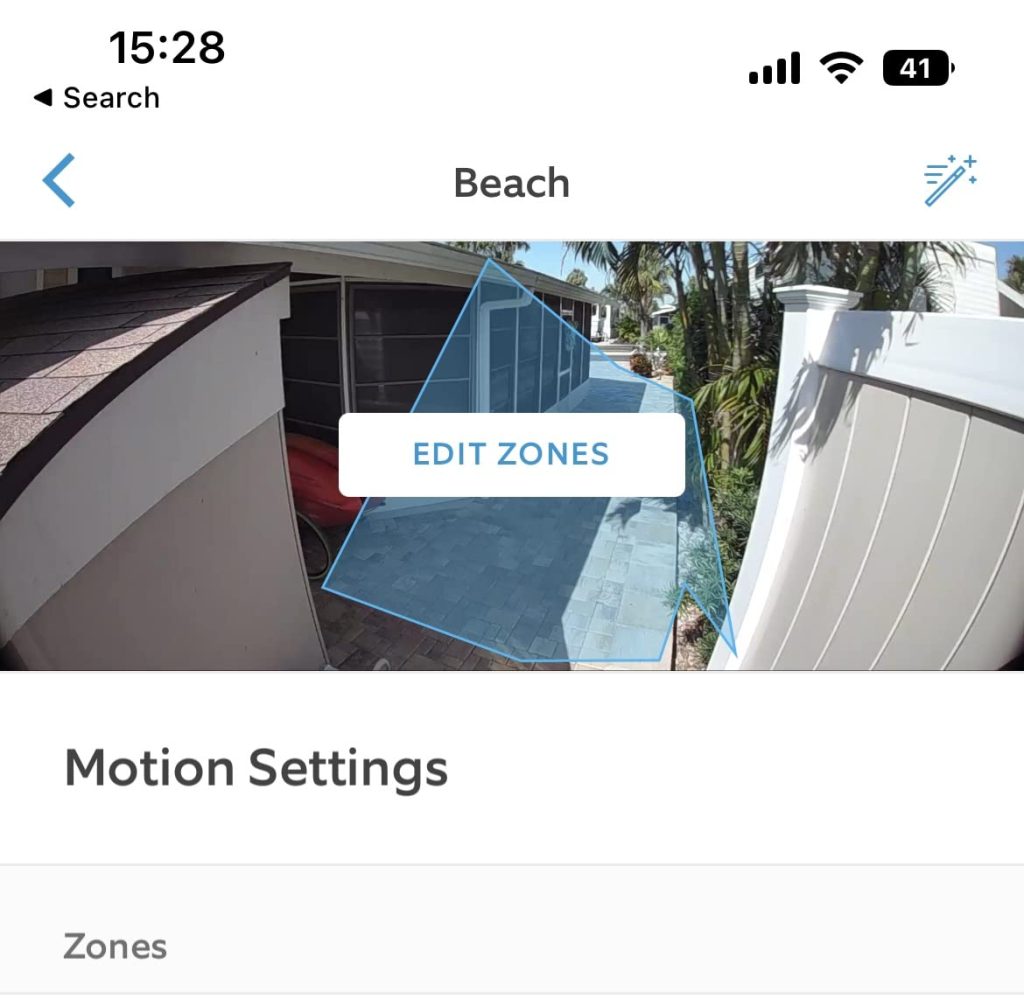
- Next, edit Motion Zones to focus on areas where animals are likely to be detected, such as near your garden or backyard.
- Enable Smart Alerts, if available, to focus on animal detection and reduce irrelevant notifications.
- Disable the People-Only Mode on your Camera to allow animal detection, as this feature filters out all non-human motion.
How to Disable Ring Doorbell Animal Detection
To disable Ring Doorbell animal detection, activate the “People Only” mode in the device settings via the Ring app. For hardwired models, set up advanced motion detection zones to specify areas for monitoring.
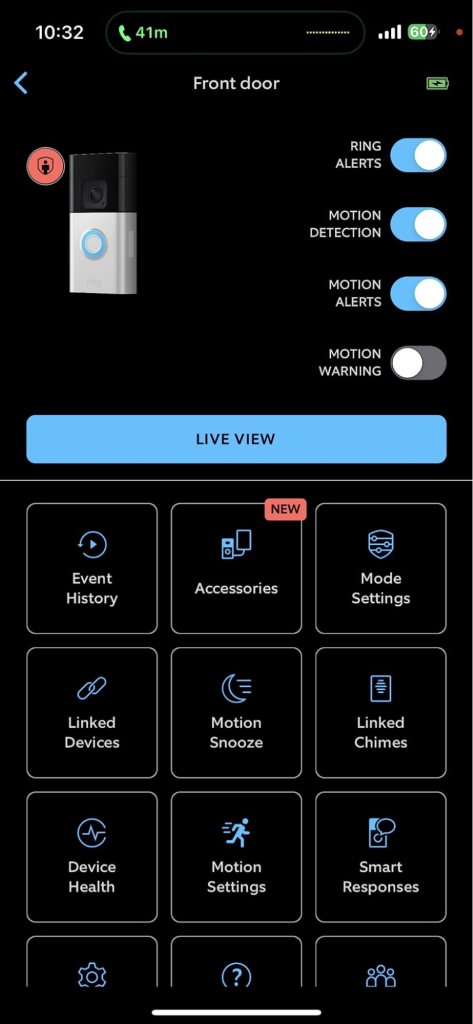
If you’re tired of your Ring Doorbell picking up cats and sending you endless alerts, here’s what you can do:
1. 🧑 Enable the “People Only” Mode
The Ring People Only Mode is a feature that, when activated, sends notifications only for human motion, ignoring animals and other movements. This helps reduce unnecessary alerts from pets or wildlife, making your notifications more relevant.

For hardwired Ring devices, enable this feature by following these steps:
- Open the Ring app, tap menu ≡ > Devices.
- Select your Ring Doorbell/Camera.
- Go to Motion Settings and select Motion Settings.
- Toggle ON the People Only Mode option.
Battery-powered devices offer this option under Smart Alerts. While People Only mode reduces alerts from animals, it doesn’t stop the device from recording these motions; it only filters the notifications you receive to focus on human activity.
2. 📍 Enable Motion Detection Zones
For hardwired Ring models, you can use the advanced motion detection feature to create multiple zones in the camera’s field of view. Notifications will be triggered only by motion within these zones, helping you exclude areas where animals often move.

Here is how to enable motion detection zones:
- Open the Ring app and select your hardwired Ring device.
- Navigate to the Motion Settings option.
- Choose Motion Zones for advanced motion detection.
- Draw multiple zones in your device’s field of view to specify alert areas.
- Save your settings to activate motion detection only within these zones.
How to Fix Ring Camera Not Detecting Animals
Here’s what you can do if your Ring Camera animal detection is not functioning properly:
1. 🚫 Disable People Only Mode
To receive notifications for animal movement from your Ring device, turn off “People Only Mode.” This mode filters out non-human motion, so disabling it ensures you get alerts for animals.
Here’s how to disable the People-Only Mode:
- Open the Ring app and select your Ring device.
- Go to Motion Settings.
- Look for the People Only Mode option.
- On hardwired devices, this option is directly under Motion Settings.
- On battery-powered devices, go to Smart Alerts first, here, you’ll find the People Only Mode toggle.
- Toggle off the People Only Mode.
2. 🔧 Adjust Motion Sensitivity
Increase the motion sensitivity in your Ring app to help detect smaller movements, like those from animals. Be aware that this may also lead to more false alarms from other moving objects, like trees.
To increase motion sensitivity of your Ring Doorbell/Camera:
- Open the Ring app and tap menu ≡ > Devices.
- Select your Ring Doorbell/Camera.
- Tap Motion Settings > Motion Sensitivity.
- Move the Motion Sensitivity Slider to the higher degree.
- Tap Save.
3. 📍 Check Device Placement and Position
The placement of your Ring camera greatly influences its ability to detect animals. Ensure it has a clear line of sight to the area you want to monitor. Obstructions or improper height can impact its detection capabilities.
Limitations of Using the “People Only” Mode

The “People Only” mode in Ring devices is designed to minimize alerts triggered by non-human movements, such as animals. However, users have reported some drawbacks to this feature:
- Motion Sensitivity Set to 30%: Activating “People Only” mode automatically reduces motion sensitivity to 30%, which may not be optimal for all users. This could result in missing significant movements or receiving too many notifications from minor activity.
- Missed Animal Alerts: This mode filters out non-human motion, so you won’t receive notifications for animals, which could be important in certain situations.
- Potential for False Positives: While designed to focus on human movement, it may still send alerts for large or fast-moving animals that resemble human activity.
- Recording Still Occurs: The device continues to record all motion, including animals, even if notifications are filtered, which might still use up storage or battery.
Make the Most of Ring Camera Animal Detection
Remember, while “People Only” mode reduces notifications from animal movements, it also decreases your Ring motion detectors’ sensitivity by 30%. So, consider this impact before enabling the mode.
Here’s more on Ring devices that you might find interesting:
- If your Ring Doorbell is in direct sunlight, it might not function properly due to excessive sun damage.
- If your Ring video freezes, check Wi-Fi, update software, limit other Wi-Fi devices, monitor camera health, and check for physical damage.
- Fine tune the motion sensitivity settings if your Ring Doorbell doesn’t pick up everything.
Frequently Asked Questions
Does the Ring have a wildlife camera?
Why is my camera not detecting animals?
How far does a Ring doorbell detect?
How do Ring Doorbells detect animal motion?


Hashir
Hi, I’m Hashir, a tech enthusiast with a deep love for smart home innovations. My interest in technology has always been driven by the idea of making everyday life more streamlined and efficient. After years of experimenting with smart devices in my own home, I’ve made it my mission to share what I’ve learned with others. I focus on practical, easy-to-understand solutions that anyone can implement to enhance their home. Writing for JustSmarter allows me to connect with fellow tech lovers and help them take their first steps—or next steps—into the exciting world of smart homes.