Key Takeaways:
- Ecobee thermostats use special sensors to monitor and adjust indoor humidity automatically.
- To customize humidity settings on your Ecobee:
- Turn on your Ecobee thermostat.
- Go to the main menu.
- Control moisture level in the Humidity Settings option.
- For a comfortable experience, set:
- Lower humidity levels in summer
- Higher humidity levels in winter
Have you ever entered a room that felt too muggy or dry, even when the temperature seemed okay? That’s because humidity is key to making a room comfortable. In this guide, I’ll explain how to set Ecobee humidity control and use its features to keep your home comfy throughout the year.
How Does Ecobee Humidity Control Work?
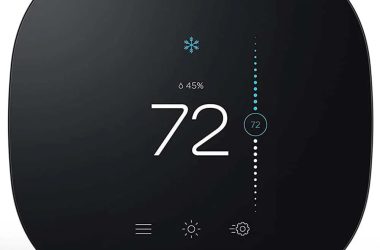
Ecobee humidity control works by monitoring indoor humidity levels and adjusting your HVAC system accordingly. It maintains a comfortable humidity level in your home, enhancing air quality and comfort.

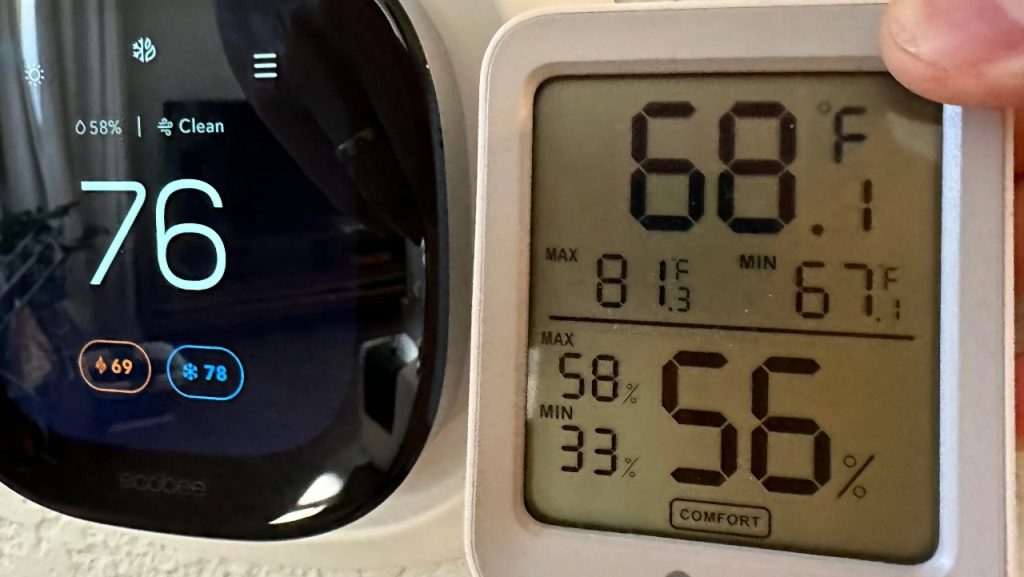
Ecobee thermostat comes with a built-in humidity sensor that continuously checks the moisture level in my home. It adjusts my heating and cooling systems to keep the humidity just right, making the air feel more comfortable.
How Does Ecobee Measure Humidity?
Ecobee is pretty smart about handling air moisture. When it senses the air is too dry, which makes the room feel cooler, it dials back the heat a bit. If the air gets too moist, it kicks the air conditioning up to pull some of that moisture out. This keeps my home’s environment consistently comfortable.
Ecobee vs. Old Thermostats: What’s Different?
Before I switched to Ecobee, my old thermostat could only control temperature, not humidity. This often left my house feeling either too dry or too damp. With my Ecobee, I don’t have those issues anymore. It maintains the perfect balance, so my home always feels just right.
Setting Up Ecobee Thermostat Humidity Control
To set humidity on Ecobee:
- Turn on your Ecobee thermostat.
- Go to the main menu on the Ecobee display.
- Find and select the Humidity Settings option.

- For more advanced features, look for the Ecobee adjust temperature for humidity features in the Humidity settings.
- Turn on this feature to let your Ecobee automatically change the temperature based on the humidity level.
- Set your preferences for temperature adjustments in response to different humidity conditions. For instance, you can choose to have the Ecobee increase cooling when the humidity is high.
- Save your settings to ensure these adjustments are applied automatically.
Tips for Different Seasons and Climate Conditions
🌞 Summer and Humid Climates
Summers can turn your home into a sauna. I set my Ecobee to lower the humidity, which really helps make the air inside feel cooler and more comfortable, even without cranking the AC down too low.
To adjust your Ecobee humidifier settings directly from the thermostat, follow these simple steps:
- Navigate to the Main Menu by tapping the three lines.
- Select Settings > Installation Settings > Equipment.
- Select Humidifier to make adjustments.
To set a specific humidity level:
- Start from the Main Menu.
- Go to General Settings > System > Humidifier.
- Tap ON to set your desired humidity level.
❄️ Winter and Dry Climates
During winter, the cold air can make your home feel like a desert. I tweak my Ecobee to maintain a slightly higher humidity level. This helps alleviate dry skin, sinus irritations, and annoying static shocks. Plus, a touch more moisture in the air makes it feel warmer, so I can keep my thermostat set at a lower temperature and still stay cozy.
All You Know Now About Ecobee Humidity Control
Using Ecobee’s humidity control keeps my home comfortable and helps manage energy efficiency. It’s an excellent piece of smart home tech when you know the right settings for the right weather.
Here are more articles you may find interesting:
Frequently Asked Questions
Can Ecobee control humidity?
How to adjust humidity on Ecobee?
What to do when you receive an Ecobee high humidity alert?
Why does Ecobee recommend 60 humidity?
What features does the Ecobee3 humidity control offer for optimizing humidity?
Is Ecobee Humidity Accurate?
How does Ecobee use humidity to lower energy consumption?
What is the difference between Ecobee Enhanced and Premium?


Hashir
Hi, I’m Hashir, a tech enthusiast with a deep love for smart home innovations. My interest in technology has always been driven by the idea of making everyday life more streamlined and efficient. After years of experimenting with smart devices in my own home, I’ve made it my mission to share what I’ve learned with others. I focus on practical, easy-to-understand solutions that anyone can implement to enhance their home. Writing for JustSmarter allows me to connect with fellow tech lovers and help them take their first steps—or next steps—into the exciting world of smart homes.